
I tested both the Roku Ultra and the Roku Express on the same television setups for several weeks of daily streaming.
The main intent of this article is to show the practical differences in speed picture quality features and everyday convenience so you can choose the player that best matches your TV and viewing habits.
My focus stays on real navigation lag app loading and remote feel rather than specification lists alone.
You will see how each device performs when you sit down to watch.
| Feature | Roku Ultra | Roku Express |
| Resolution Support | 4K HDR Dolby Vision | Primarily HD up to 1080p |
| Networking | Wi-Fi 6 plus Ethernet port | Basic Wi-Fi |
| Remote | Voice Remote Pro rechargeable with finder | Standard voice remote |
| Extra Ports | USB and Ethernet | Minimal or none |
| Performance | Faster processor and interface | Basic and functional |
| Best For | Main living room TV | Secondary rooms or simple needs |
My Experience Testing Both Devices Side by Side
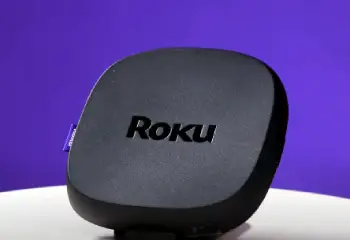
I started with the Roku Express plugged into a secondary bedroom television.
Setup took only a few minutes and the interface felt familiar right away.
Apps launched at an acceptable speed for casual viewing of streaming channels and free content.
The remote worked fine yet lacked backlighting and the lost remote finder.
I then moved the Roku Ultra to the main living room television.
The difference in responsiveness showed immediately.
Menus scrolled more smoothly and 4K apps opened with less waiting.
Ethernet connection eliminated any Wi-Fi dropouts during peak evening hours.
The Voice Remote Pro felt substantial and the headphone jack plus finder button proved useful more than once.
I switched the devices between rooms for direct comparison on identical content.
The Ultra handled Dolby Vision titles with richer color and smoother motion.
The Express stayed limited to standard HD streams and occasionally paused on higher bitrate sources.
Both ran the same Roku operating system and accessed the same channel store.
Key features such as the Ultra Ethernet port and premium remote shaped the daily experience gaps.
My extended side by side use supplied the concrete speed picture and convenience notes that follow.
Interface Speed and App Performance
Interface speed affects how quickly you move from the home screen to actual content.
The Roku Ultra uses a more capable processor that keeps menus and app switching snappy.
I noticed shorter load times when jumping between Netflix Disney Plus and live channels.
The Express handled basic navigation adequately yet showed more hesitation when multiple apps were open or when the network was busy.
Search results and voice commands also registered faster on the Ultra.
Analytical review of responsiveness places the Ultra clearly ahead for frequent channel hopping.
Key features of the Ultra include the stronger chipset and optimized software path.
Key features of the Express include a simplified design that still delivers the core Roku experience.
Real evening sessions confirmed the Ultra reduced waiting while the Express remained usable for lighter schedules.
Picture Quality and Format Support
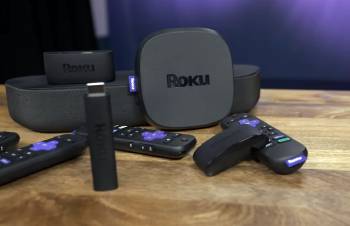
Picture quality depends on what your television can display and what the player can output.
The Roku Ultra supports 4K resolution along with Dolby Vision HDR10 and HDR10 Plus.
I watched several supported titles and saw deeper contrast and more accurate color on a compatible set.
The Express focuses on HD streaming up to 1080p and lacks the advanced HDR formats.
On an older HD television the difference shrank yet the Ultra still felt more future ready.
Audio pass-through for Dolby Atmos also favored the Ultra when connected to a sound system.
Analytical scoring of visual performance places the Ultra ahead for modern 4K HDR viewing.
Key features of the Ultra include full premium format support and higher bandwidth handling.
Key features of the Express include reliable HD delivery for basic televisions.
Real side by side content tests showed the Ultra unlocking the full capability of a 4K set while the Express stayed limited to standard streams.
Connectivity Remote and Everyday Convenience
Connectivity and the remote influence daily frustration levels.
The Roku Ultra includes both Wi-Fi 6 and a wired Ethernet port for stable connections.
I used the Ethernet option during heavy household traffic and experienced zero buffering.
The Express relies on standard Wi-Fi which worked in good signal areas yet dropped more often at longer range.
The Ultra Voice Remote Pro is rechargeable includes a finder button and offers private listening through a headphone jack.
The Express remote is simpler and functional yet missing those extras.
USB support on the Ultra also allowed local media playback from a drive.
Analytical review of convenience places the Ultra ahead for reliability and remote features.
Key features of the Ultra include Ethernet USB and the advanced remote.
Key features of the Express include straightforward plug and play simplicity.
Real household use confirmed the Ultra reduced interruptions while the Express suited low demand secondary rooms.
Pros and Cons Of Roku Ultra
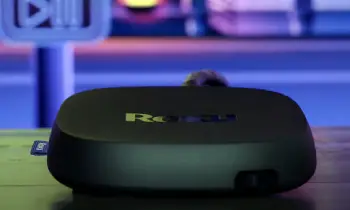
Pros Of Roku Ultra
- Fast Interface Response: Stronger processor keeps menus apps and searches moving with minimal delay.
- Full 4K and HDR Support: Handles Dolby Vision HDR10 and HDR10 Plus for compatible televisions and content.
- Ethernet Port Stability: Wired connection eliminates many Wi-Fi related buffering issues.
- Premium Voice Remote Pro: Rechargeable design lost remote finder and headphone jack add real daily value.
- USB Media Playback: Supports local video and photo files from external drives.
- Wi-Fi 6 Capability: Improved wireless performance in crowded network environments.
- Dolby Atmos Pass-Through: Delivers advanced audio formats to compatible sound systems.
- Future Ready Design: Better positioned for higher bitrate streams and evolving content standards.
- Consistent Performance: Maintains speed even when multiple apps or background processes run.
- Main Television Focus: Built for primary living room use where features get full exercise.
The Analytical Cons Of Roku Ultra
- Higher Purchase Price: Costs significantly more than entry level Roku models.
- Overkill for Secondary TVs: Advanced features go unused on basic or infrequently watched sets.
- Larger Power Adapter: Requires its own power connection rather than pure HDMI power in some setups.
- Feature Complexity: Extra ports and options may feel unnecessary for simple streaming needs.
- Remote Learning Curve: Additional buttons and functions take a short time to master.
- Size and Placement: Box form factor needs shelf or mount space compared with stick designs.
- Premium Positioning: Price places it above casual or budget conscious buyers.
- Ethernet Cable Requirement: Wired benefit only appears when a cable is actually connected.
- Potential Under Use: Many households never touch USB or private listening features.
- Competition from Mid Range Options: Some streaming sticks now close the gap on core 4K performance.
Also Read: Comparison Of Roku Ultra Vs. Roku Ultra Lt
Pros and Cons Of Roku Express
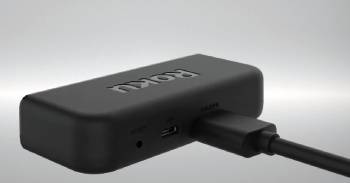
Pros Of Roku Express
- Low Entry Cost: Affordable price makes Roku streaming accessible for any budget.
- Simple Setup Process: Plugs in quickly and guides users through the same familiar Roku interface.
- Reliable HD Streaming: Delivers solid 1080p performance for everyday channels and apps.
- Compact and Lightweight: Easy to move between televisions or pack for travel.
- Core Roku Experience: Accesses the full channel store and free content library.
- Voice Remote Basics: Includes voice search and essential TV controls on current versions.
- Low Power Draw: Efficient operation suits secondary rooms and always on setups.
- Broad Compatibility: Works with a wide range of HDMI televisions including older models.
- Minimal Learning Required: Straightforward design suits first time streaming users.
- Secondary Room Ideal: Perfect for bedrooms guest rooms or backup televisions.
The Analytical Cons Of Roku Express
- Limited Resolution Support: Stays focused on HD and lacks native 4K Dolby Vision capability.
- Basic Networking: Standard Wi-Fi can struggle with distance or heavy household traffic.
- Simpler Remote: Missing rechargeable battery finder button and private listening jack.
- Slower Interface at Times: Processor shows more lag during heavy app switching or searches.
- No Ethernet Port: Relies entirely on wireless which reduces stability options.
- Fewer Expansion Ports: Limited or no USB support for local media.
- Less Future Proof: May feel dated as 4K and advanced HDR content become standard.
- Performance Ceiling: Adequate for casual use yet not ideal for demanding main television viewing.
- Feature Gaps: Omits many convenience extras found on higher models.
- Potential Replacement Cycle: Users often upgrade sooner when picture or speed needs grow.
Also Read: Comparison Of Roku Ultra Vs. Roku Premiere
Frequently Asked Questions (FAQs)
Roku has shifted focus toward Streaming Stick models in recent lineups yet Express style entry level players remain available or continue in similar budget forms.
The Roku Ultra is worth the extra money for a main television that benefits from Ethernet 4K HDR support and the premium remote.
Roku typically updates its flagship on its own schedule and any new Ultra would follow the company’s regular release pattern.
The best Roku depends on needs with the Ultra suiting primary 4K setups and the Express or current Streaming Stick models suiting budget or secondary televisions.
Final Thoughts
I compared the Roku Ultra and the Roku Express through weeks of real streaming to highlight the differences in speed picture support and daily convenience.
The main intent remains giving you clear side by side observations on performance features and value so you can select the player that fits your television and habits.
The Ultra leads for main room power and polish while the Express excels at affordable simple streaming.
You now have the detailed experience to decide which Roku belongs under your television.
