
When you are trying to upgrade your home theater setup, choosing the right streaming box can feel overwhelming.
In this article, I will help you navigate the choice between the Roku Ultra and the Roku Ultra LT so you can decide which device best fits your entertainment needs and budget.
Roku Ultra Vs. Roku Ultra Lt: In-Depth Difference
| Feature | Roku Ultra | Roku Ultra LT |
| Video Resolution | Up to 4K Ultra HD, Dolby Vision, HDR10+, HLG | Up to 4K Ultra HD, Dolby Vision, HDR10+, HLG |
| Audio Support | Dolby Atmos (decode and passthrough), Dolby Digital | Dolby Atmos (passthrough only via compatible receiver), Dolby Audio |
| Remote Control | Voice Remote Pro (Rechargeable, hands-free voice, backlit buttons) | Voice Remote (Battery powered, push-to-talk voice, no hands-free) |
| Lost Remote Finder | Yes (Button on console or voice command) | No |
| USB Port | Yes (USB 3.0 for local media playback) | No |
| Ethernet Port | Yes (10/100 Fast Ethernet) | Yes (10/100 Fast Ethernet) |
| Storage Expansion | No (Cloud storage for channels) | MicroSD slot (On select retail versions) |
| Price | Higher premium price point | Budget-friendly retail exclusive |
My Real World Experience With Both Streaming Boxes
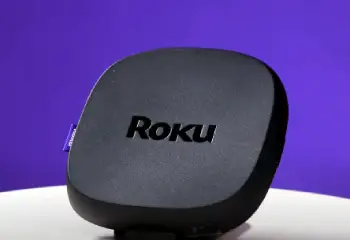
When I first unboxed these two devices, they looked nearly identical sitting on my entertainment center.
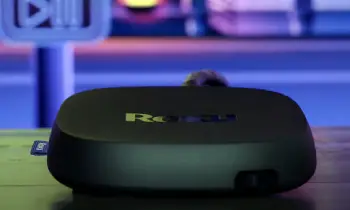
Both feature a sleek, low-profile matte black square design that easily tucks away under a television.
However, the differences became apparent the moment I started hooking up my external hardware.
The standard Ultra feels heavier and includes an array of ports that instantly appealed to my tech-heavy setup.
The Ultra LT feels slightly lighter and leaves out a few physical connections that stream-only users might never miss.
Performance and Processing Power
In my daily testing, the actual interface speed between these two units felt virtually identical.
Both systems utilize a robust quad-core processor that flies through the Roku menu system without any visible lag or stutter.
Loading up heavy apps like Netflix or YouTube happens almost instantly on both devices.
I noticed that switching between channels was smooth, meaning Roku did not skimp on the core engine when creating the lower-tier model.
If your main concern is sheer speed and responsiveness while navigating your home screen, either device will satisfy you completely.
Audio Capabilities and Cinematic Sound
Sound is where I noticed a massive fork in the road during my living room evaluations.
The standard Ultra comes equipped with onboard Dolby Atmos decoding technology.
This means the device itself processes the spatial audio signals before sending them to your sound system.
The Ultra LT does not decode Dolby Atmos natively on the hardware.
Instead, it relies entirely on audio passthrough.
If you have a high-end audio receiver or a premium soundbar that handles Atmos decoding, the LT will simply pass the raw signal along to your gear.
However, if you plug the LT directly into a standard television, you will miss out on that premium spatial audio depth.
Remote Control Variations and Daily Convenience
The remote control is the item you hold every single day, and the differences here are substantial.
The standard Ultra includes a premium rechargeable remote that features hands-free voice activation.
I can literally sit on my couch and say aloud to the room to find my remote, and the controller will start beeping.
The Ultra LT comes with a traditional battery-powered voice remote.
You must physically press and hold the microphone button every time you want to search for a movie.
It also lacks the built-in speaker for the lost remote finder, which can be a major headache if you frequently lose your controller between the couch cushions.
Physical Connectivity Options
For local media enthusiasts, the presence of a physical USB port is often a non-negotiable feature.
The standard Ultra retains a functional USB port on the back pane.
I regularly use this port to plug in an external flash drive packed with my personal home videos and high-fidelity music files.
The Ultra LT completely eliminates this USB port.
If you want to play local files on the LT, you have to set up a complex local network media server or look for specific older retail variants that contain a MicroSD slot.
For the average consumer who only streams from cloud apps, the missing port is irrelevant, but for power users, it remains a critical loss.
Picture Quality and Visual Fidelity
When comparing the visual output on my 4K television, I could not spot a single difference in picture clarity.
Both devices output stunning 4K resolutions at sixty frames per second.
They both support advanced high dynamic range formats including Dolby Vision and HDR10+.
Colors appear deeply saturated, contrast levels look incredible, and shadow detail remains sharp during dark movie scenes.
As long as you use a high-quality high-speed HDMI cable, both boxes deliver a top-tier visual feast.
Network Stability and Wireless Performance
A buffering screen can ruin any movie night, which is why a solid network connection is mandatory.
Both of these set-top boxes feature an integrated Ethernet port for a direct wired connection.
I always prefer using a physical wire to ensure maximum streaming stability when watching heavy 4K files.
On the wireless side, both devices utilize dual-band wireless tech with excellent range.
I tested both units on the upper floor of my home, far away from my router, and both maintained a solid, uninterrupted connection.
Maintenance Tips Roku Ultra Vs. Roku Ultra L
To keep your streaming box running at peak performance, make sure it is placed in a well-ventilated area away from other hot home theater equipment like audio receivers or gaming consoles.
Do not place the unit inside a tightly closed cabinet, on soft surfaces that trap heat, or in locations that receive direct sunlight.
Overheating can trigger an on-screen warning or a solid red warning light, which will cause unexpected system reboots, frozen screens, and sluggish interface navigation.
Periodically check the back ports for dust buildup and wipe down the exterior casing with a clean, dry microfiber cloth.
Avoid using liquid cleaners, chemical solvents, or aerosols directly on the chassis or the voice remote. In the system settings menu, ensure the automatic update feature is active so you always have the latest app compatibility patches and firmware optimizations.
If an app begins to load slowly, highlight the channel icon, press the star button on your remote, and manually check for updates.
If the overall system performance starts lagging, use the system menu to trigger a safe software restart rather than pulling the power cable out directly from the back wall outlet.
Pros and Cons of Roku Ultra Vs. Roku Ultra LT
Roku Ultra Pros:
- Onboard Dolby Atmos decoding for ultimate cinema sound.
- Hands-free voice remote with a convenient rechargeable battery.
- Built-in lost remote finder saves hours of searching.
- USB port allows effortless local media playback from flash drives.
- Includes premium headphones inside the retail box for private listening.
Roku Ultra Cons:
- Higher initial retail cost compared to the rest of the lineup.
- Larger physical footprint than streaming sticks.
- Consumes slightly more power during standby modes.
Roku Ultra LT Pros and Cons
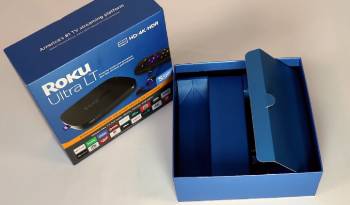
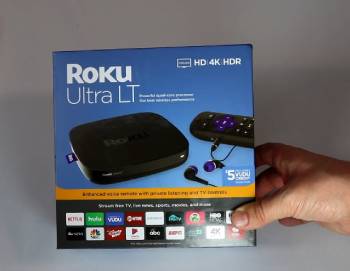
Roku Ultra LT Pros:
- Much more affordable price tag for budget-conscious buyers.
- Delivers the exact same 4K HDR picture quality as the premium version.
- Includes a physical Ethernet port for reliable wired internet.
- Interface remains incredibly fast and responsive.
Roku Ultra LT Cons:
- No onboard Dolby Atmos processing capabilities.
- Remote lacks hands-free voice control and lacks recharging features.
- No lost remote finder button on the console.
- Complete lack of a USB port for external media drives.
Frequently Asked Questions (FAQs)
No, the Roku Ultra LT is not being discontinued entirely, though its availability fluctuates since it is primarily sold as a retail-exclusive item through specific big-box stores like Walmart.
Yes, it is an excellent, highly responsive streaming device that provides premium 4K HDR video performance and a stable Ethernet connection at a significantly lower price point than the standard flagship model.
According to common consensus across tech communities on Reddit, the primary differences are that the standard Ultra adds a USB port, a rechargeable remote with hands-free voice features, a built-in lost remote locator speaker, and native onboard Dolby Atmos decoding.
The original Roku LT was an older, entry-level legacy model designed for budget-conscious streaming at lower resolutions, which is entirely different from the modern, high-performance 4K Ultra LT set-top box.
Final Thoughts
Choosing between these two incredible streaming boxes ultimately boils down to how you interact with your home theater system.
If you want a premium experience with hands-free voice commands, a rechargeable controller, and a native
USB port for your personal media files, the standard Roku Ultra is absolutely worth your extra hard-earned money.
However, if you simply want a blazing-fast 4K streaming box with a stable wired Ethernet connection and you plan to stream strictly from apps, the Roku Ultra LT offers incredible value without forcing you to sacrifice visual quality.
Evaluate your audio system and your remote control habits to choose the perfect match for your living room entertainment center.
