
I tested both the Roku Ultra and the Roku Premiere on the same 4K television for several weeks of daily streaming.
The main intent of this article is to show the practical differences in speed picture features remote convenience and overall responsiveness so you can choose the Roku player that best matches your viewing habits.
My focus stays on real app loading times interface smoothness and long-term usability rather than specification sheets alone.
You will see how each device performs during everyday movie and series sessions.
| Feature | Roku Ultra | Roku Premiere |
| Resolution Support | 4K HDR Dolby Vision | 4K HDR |
| Audio | Dolby Atmos | Standard surround up to Dolby Digital |
| Connectivity | Wi-Fi Ethernet USB | Wi-Fi only |
| Remote | Voice remote with TV controls | Simpler voice remote |
| Processor and Memory | Faster premium chipset | Capable mid-range chipset |
| Best For | Power users and large libraries | Straightforward 4K streaming |
My Experience Testing Both Devices Side by Side
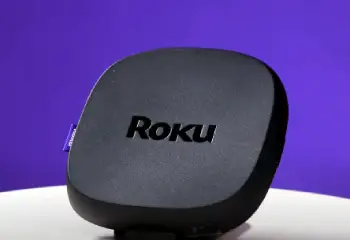
I connected the Roku Ultra and the Roku Premiere to identical HDMI ports on my 4K television and set both to the same display mode.
The Ultra finished its initial setup a few seconds faster and loaded the home screen with sharper thumbnail previews.
I opened the same set of apps on both devices including major streaming services and free ad-supported channels.
The Ultra launched each app more quickly and scrolled through long rows of content with almost no hesitation.
The Premiere performed well yet showed brief pauses when I moved rapidly across densely populated rows.
I played the same 4K HDR movie on both players.
Picture quality looked excellent on each with accurate colors and solid black levels.
The Ultra activated Dolby Vision on supported titles and produced a noticeable increase in highlight detail and contrast.
Audio through my sound system revealed clearer object-based effects on the Ultra when Dolby Atmos tracks were available.
The Premiere delivered clean standard surround sound that still filled the room.
I tested the remotes extensively.
The Ultra voice remote let me adjust TV power volume and inputs without reaching for a second controller.
Private listening through headphones worked smoothly on the Ultra.
The Premiere remote handled voice search and basic playback well yet required the original TV remote for power and volume.
Ethernet on the Ultra provided a rock-steady connection during peak evening hours.
The Premiere stayed reliable on Wi-Fi yet occasionally buffered when multiple devices saturated the network.
After three weeks of alternating use the Ultra continued to feel snappier during heavy browsing.
The Premiere remained perfectly adequate for direct app selection and straightforward watching.
Key features such as 4K HDR support and simple voice search appeared on both devices.
My extended side-by-side use supplied the concrete speed picture and convenience notes that follow.
Interface Speed and App Performance
Interface speed determines how quickly you move from the home screen to actual content.
The Roku Ultra uses a more powerful processor and additional memory that keep menus responsive even when many channels are installed.
Scrolling through large libraries and switching between apps felt fluid throughout my testing.
The Roku Premiere handles everyday navigation cleanly yet shows brief loading indicators when the interface works harder.
App launch times favored the Ultra by a consistent margin.
Both devices run the same Roku operating system so the overall layout and channel selection stay familiar.
Analytical review of responsiveness places the Ultra ahead for users who browse heavily and keep many apps installed.
Key features of the Ultra include the premium chipset that maintains smooth performance.
Key features of the Premiere include solid everyday speed at a lower cost.
Real daily browsing confirmed that the Ultra reduces waiting time while the Premiere still delivers content without frustration.
Picture and Audio Capabilities
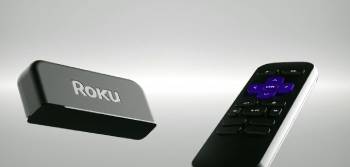
Picture and audio quality shape the final viewing experience.
Both players output sharp 4K HDR images with wide color support.
The Ultra adds Dolby Vision which improves dynamic range on compatible television sets and content.
I noticed brighter highlights and deeper shadow detail on Dolby Vision titles through the Ultra.
Audio support also differs.
The Ultra passes Dolby Atmos for a more immersive three-dimensional sound field when paired with a capable receiver or soundbar.
The Premiere handles standard Dolby Digital and keeps dialogue clear.
Analytical scoring of audiovisual performance gives the Ultra the edge for high-end home theaters.
Key features of the Ultra include Dolby Vision and Atmos compatibility.
Key features of the Premiere include reliable 4K HDR output that satisfies most viewers.
Real movie nights showed both players capable of excellent picture quality with the Ultra pulling ahead on premium formats.
Connectivity and Remote Convenience
Connectivity options and remote design affect daily convenience.
The Ultra includes a wired Ethernet port that eliminates Wi-Fi variables for the most stable streaming.
USB ports support local media playback and accessories such as private listening headphones.
The Premiere relies solely on Wi-Fi which works well in strong signal environments yet remains subject to network congestion.
The Ultra voice remote includes dedicated buttons for television power volume and input switching.
I controlled the entire entertainment system with one handset.
The Premiere remote focuses on Roku functions and voice search while leaving TV controls to the original remote.
Analytical review of convenience places the Ultra ahead for simplified one-remote living.
Key features of the Ultra include Ethernet USB and enhanced remote capabilities.
Key features of the Premiere include straightforward wireless operation and a compact remote.
Real living-room use confirmed that the Ultra reduces remote clutter while the Premiere keeps the setup simple.
Also Read: My Experience With Roku Home Security
Pros and Cons Of Roku Ultra
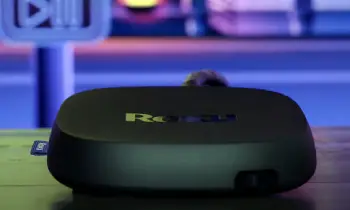
Pros Of Roku Ultra
- Faster Processor and Memory: Menus scroll smoothly and apps launch quickly even with a large channel lineup installed.
- Dolby Vision Support: Compatible titles display improved contrast and highlight detail on supporting televisions.
- Dolby Atmos Audio: Object-based soundtracks create a more immersive listening experience with the right speaker system.
- Ethernet Port: Wired connection delivers maximum stability during peak network usage hours.
- Enhanced Voice Remote: Built-in TV power volume and input controls eliminate the need for a second remote.
- USB Ports: Local media playback and headphone listening expand practical uses beyond pure streaming.
- Premium Build and Responsiveness: The overall interface feels more polished during extended browsing sessions.
- Future-Ready Feature Set: Higher hardware specifications support newer codecs and interface updates longer.
- Private Listening Option: Headphone support allows late-night viewing without disturbing others.
- Consistent High-End Performance: Demanding 4K content and rapid navigation stay fluid over long periods.
The Analytical Cons Of Roku Ultra
- Higher Purchase Price: The premium feature set raises the cost above entry-level and mid-range Roku players.
- Feature Overlap for Casual Users: Viewers who stream only a few apps may not fully utilize Dolby Vision Atmos or Ethernet.
- Larger Remote Learning: Extra buttons require a short period of familiarization for new owners.
- Power Consumption: The more capable hardware draws slightly more electricity than simpler models.
- Cable Management: Ethernet and USB connections add wires behind the television.
- Occasional Overkill: Basic streaming sessions do not always demonstrate the full speed advantage.
- Availability Fluctuations: Popular bundles and colors can sell out during peak shopping periods.
- Software Dependence: Full remote customization still relies on the Roku mobile app for some functions.
- Size of the Device: The Ultra chassis occupies a bit more shelf or TV-stand space than the smallest Roku sticks.
- Premium Positioning: Cost sits noticeably above the Premiere even though both play 4K content.
Pros and Cons Of Roku Premiere
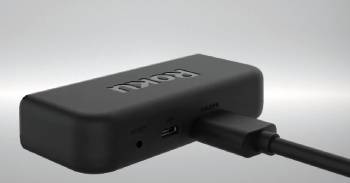
Pros Of Roku Premiere
- Excellent 4K HDR Value: Sharp high-dynamic-range picture quality arrives at a more accessible price.
- Simple Setup and Operation: The device powers on quickly and presents a clean interface for direct app access.
- Reliable Wi-Fi Streaming: Strong wireless performance handles most household networks without visible buffering.
- Compact Design: The smaller footprint fits easily behind a television or inside a media cabinet.
- Voice Search Capability: Built-in microphone on the remote finds titles and launches apps with spoken commands.
- Familiar Roku Interface: Channel store and navigation stay consistent with other Roku products.
- Lower Cost of Entry: Budget-conscious households gain 4K streaming without the Ultra price premium.
- Adequate Everyday Speed: App launches and menu movement remain acceptable for typical viewing patterns.
- Energy Efficient: Modest hardware requirements keep power draw low during long sessions.
- Straightforward Remote: Fewer buttons reduce complexity for users who prefer simplicity.
The Analytical Cons Of Roku Premiere
- No Dolby Vision: Premium HDR format support is absent so compatible titles play in standard HDR10.
- No Dolby Atmos: Audio remains limited to conventional surround formats.
- Wi-Fi Only Connectivity: Lack of Ethernet leaves the stream vulnerable to household network congestion.
- Slower Interface Under Load: Heavy channel lineups and rapid scrolling reveal brief hesitations.
- Basic Remote Functions: Television power and volume still require the original TV remote.
- Limited USB Utility: Ports are absent or restricted compared with the Ultra.
- Mid-Range Processor: Future interface updates may feel less fluid as software demands grow.
- Fewer Premium Extras: Private listening and advanced local media options stay unavailable.
- Performance Gap in Demanding Use: Power users notice the difference during extensive browsing.
- Upgrade Path Consideration: Viewers who later want Atmos or wired networking must replace the unit.
Also Read: Comparison Of Roku Ultra Vs. Roku Ultra Lt
Frequently Asked Questions (FAQs)
The Roku Premiere continues to appear in current lineups as a value-oriented 4K option though specific retail availability can vary by season.
Roku typically refreshes its Ultra model every one to two years so a newer version remains possible depending on the company’s product cycle.
The best Roku version depends on needs with the Ultra suiting power users who want maximum speed and premium formats while the Premiere serves straightforward 4K streaming well.
The Roku Ultra justifies the higher price for viewers who value faster performance Dolby Vision Atmos support and one-remote convenience.
Final Thoughts
I compared the Roku Ultra and the Roku Premiere through weeks of real daily streaming to highlight the differences in speed premium formats and everyday convenience.
The main intent remains giving you clear side-by-side observations on interface responsiveness picture features and remote usability so you can select the player that matches your viewing style.
Both deliver excellent 4K streaming yet the Ultra pulls ahead for high-end home theaters while the Premiere offers strong value for simpler setups.
You now have the detailed experience to decide which Roku device belongs under your television.
