If you want an open ecosystem with direct library borrowing, physical page-turn buttons, and native EPUB support without Amazon lock-in, I recommend you buy a Kobo eReader, but if you want seamless access to the world’s largest digital bookstore, Kindle Unlimited, and advanced tools like X-Ray, you should choose a Kindle.
I spent months testing both Kobo and Kindle devices across daily reading, library borrowing, and travel.
In this comprehensive comparison, I will help you select the ideal eReader that fits your reading habits and budget.
| Feature | Kobo eReaders (e.g., Libra Colour, Clara BW) | Amazon Kindle (e.g., Paperwhite, Colorsoft, Basic) |
| Ecosystem Philosophy | Open (Native EPUB, Adobe DRM, Easy Sideloading) | Closed Amazon Ecosystem (KFX, AZW3, Convert for EPUB) |
| Library Borrowing | Direct OverDrive / Libby built into the eReader screen | Send to Kindle via Amazon account (US region focused) |
| Physical Page-Turn Buttons | Available on popular models like Kobo Libra Colour | Omitted on main current lineup (Touchscreen navigation) |
| Display & Color Options | Carta 1200 B/W & Kaleido 3 Color with Stylus support | Carta 1200 B/W & Colorsoft Kaleido 3 display technology |
| Subscription Service | Kobo Plus (Ebooks & Audiobooks from $7.99/month) | Kindle Unlimited ($11.99/month, massive exclusive catalog) |
| Typography Customization | Advanced line spacing, weight, and custom sideloaded fonts | Standard font choices, bold adjustments, and simple themes |
| Hardware Water Resistance | IPX8 Rating on mid-tier and flagship models | IPX8 Rating on Paperwhite, Colorsoft, and Scribe devices |
| Web Article Sync | Native Instapaper and Pocket integration for articles | Send to Kindle browser extension or email conversion |
Real World Reading Experience With Both Platforms
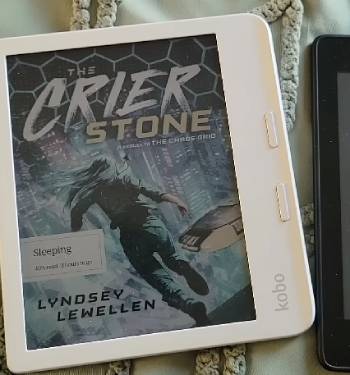
I spent six months testing both eReader platforms side by side in my daily routine.
I carried them on long train rides, read in dim bedrooms, and loaded hundreds of books onto both storage systems.
My testing revealed distinct philosophical differences between Kobo and Amazon.
When I picked up the Kobo Libra Colour, the physical page-turn buttons immediately felt natural in my hand.
Clicking through pages while holding the asymmetrical side grip allowed me to read comfortably for hours without shifting my hand position.
The screen displayed book covers in soft color, and scribbling notes with the optional stylus made highlighting feel like marking up a physical paper page.
When I switched back to the Kindle Paperwhite and Kindle Colorsoft, the hardware felt sleek, thin, and remarkably responsive.
Swiping the glass screen felt fluid, and downloading purchases from the Amazon store happened almost instantly.
However, whenever I wanted to borrow a library book or read a document outside Amazon’s ecosystem, the Kindle required extra steps that felt restrictive.
If you want an unrestricted reading device that respects your digital ownership and integrates seamlessly with local public libraries, Kobo is a joy to use.
If you want a polished, fast buying machine connected directly to the largest digital bookstore on earth, Kindle remains hard to beat.
Ecosystem Philosophy and File Format Freedom
Evaluating an eReader requires looking closely at how the manufacturer treats your book files and digital privacy.
Amazon builds its Kindle hardware to keep you reading inside the Amazon store ecosystem.
Kindle devices rely primarily on proprietary Amazon file formats like KFX, AZW3, and older MOBI files.
While you can send EPUB files to your Kindle using the Send to Kindle web tool, Amazon converts those files on their servers before pushing them to your device.
If Amazon ever alters its server policies or removes a title from its store catalog, your access to cloud-stored books could be impacted.
Kobo takes a completely open approach to file management and reading formats.
Kobo eReaders read native EPUB, KEPUB, PDF, MOBI, CBZ, and CBR comic files right out of the box without requiring file conversion.
Plugging a Kobo into your computer allows you to drag and drop your personal ebook collection directly into the main storage folder like a standard USB flash drive.
Kobo plays nicely with open-source library management software like Calibre, letting you manage metadata, custom collections, and backup files effortlessly.
This open architecture gives you peace of mind that your digital library belongs to you, regardless of which bookstore you purchased your files from.
Library Borrowing and OverDrive Integration
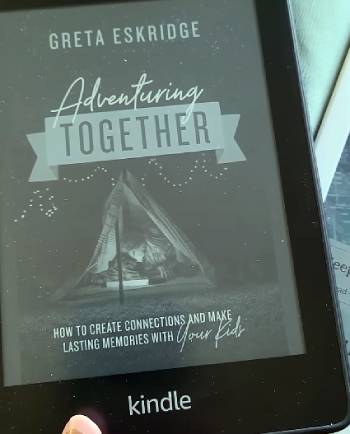
For many avid readers, public library borrowing is the single most important feature on an eReader.
This area represents the clearest operational difference between Kobo and Kindle.
Kobo features direct, built-in OverDrive and Libby integration right inside the eReader software interface.
You simply log into your local library account directly on the Kobo screen using your library card number.
Once logged in, you can search your library’s catalog, hold titles, and borrow ebooks directly from the device without ever touching a smartphone or computer.
The borrowed EPUB file downloads over Wi-Fi directly to your home screen, complete with automatic return timers when your loan period ends.
Kindle handles public library borrowing through a much more circuitous process.
In supported countries like the United States, you must open the Libby app on your phone or web browser, search for a book, select Read with Kindle, and redirect to Amazon’s website to claim the loan.
Furthermore, if you live outside the United States, Kindle library borrowing is largely unavailable through Libby.
If borrowing free public library ebooks forms a core part of your daily reading routine, Kobo provides an infinitely smoother, hassle-free experience.
Hardware Ergonomics, Buttons, and Display Technology
Hardware choices directly affect how comfortable your hand feels during late-night reading sessions.
Kindle models like the Paperwhite and Colorsoft feature flat, flush-front glass screens with thin, symmetrical side bezels.
This flat front looks modern and wipes clean easily, but holding the thin edges can lead to accidental screen touches that skip pages unexpectedly.
Amazon removed physical page-turn buttons from its mainstream Paperwhite line years ago, forcing readers to tap or swipe the screen to advance text.
Kobo offers ergonomic variety across its lineup, highlighting physical page-turn buttons on popular models like the Kobo Libra Colour.
The Libra Colour uses an asymmetrical side bar housing two tactile click buttons that allow you to flip pages without resting your thumb on the display glass.
An internal accelerometer rotates the screen instantly when you switch the device from your right hand to your left hand.
Both brands now offer vibrant color E Ink displays utilizing Kaleido 3 technology, showing book covers, graphic novels, and highlights in soft pastel shades.
However, Kobo adds optional stylus support to models like the Libra Colour and Elipsa 2E, letting you write notes directly in book margins or sketch in digital notebooks.
Maintenance Tips for Long-Term eReader Health
- Screen Protection and Battery Care
E-ink screens utilize micro-capsules suspended in liquid that consume battery power only when the screen refreshes a page.
To keep your display safe, store your eReader inside a protective sleep cover case when carrying it inside a backpack or tote bag.
Avoid pressing sharp objects or heavy heavy books directly against the screen surface, as localized pressure can break the internal glass substrate.
Charge the lithium-ion battery using a standard USB-C cable when it drops to twenty percent, and avoid leaving the battery fully drained at zero for weeks to preserve total battery lifespan.
- Water Exposure and Cleaning Standards
If your eReader features an IPX8 water resistance rating, it can handle accidental drops into fresh water or bath tubs.
However, water resistance degrades over time with exposure to soap, saltwater, or chlorinated pools. After exposing your device to water, rinse it gently with fresh tap water and dry it completely with a soft microfiber cloth.
Ensure the USB-C charging port is completely free of trapped moisture before plugging in a charging cable to prevent short circuits.
Clean finger oils off the screen using a dry lint-free cloth rather than harsh chemical sprays or glass cleaners.
- Storage Management and Software Updates
Keep your eReader running smoothly by leaving at least one gigabyte of free internal storage space available for system memory and operating software updates.
Connect your device to Wi-Fi once a month to download system patches that improve battery optimization, fix bug issues, and update security certificates.
If you sideload hundreds of EPUB or PDF files using Calibre, ensure file metadata is clean and uncorrupted, as broken file headers can cause the internal indexing engine to freeze or drain battery power unexpectedly.
Reading Subscriptions and Store Catalogs Head-To-Head
Comparing store offerings highlights how each platform serves different reading tastes.
Amazon’s Kindle Store is undeniably the largest commercial ebook repository on the planet.
Amazon offers Kindle Unlimited for a monthly subscription fee, giving you unlimited access to over four million digital titles, audiobooks, and magazines.
Kindle Unlimited is an incredible value for readers who consume multiple romance novels, thriller series, or self-published indie books every month.
Furthermore, Kindle’s proprietary X-Ray tool scans complex books, providing instant character summaries and term definitions with a single tap.
Kobo responds with its own subscription service called Kobo Plus.
Kobo Plus offers tiered pricing options that allow you to subscribe to ebooks only, audiobooks only, or a combined read-and-listen plan.
While the Kobo Plus catalog is smaller than Kindle Unlimited in self-published indie titles, it features a strong selection of traditional publisher books and international literature.
Additionally, Kobo’s native bookstore pricing often matches Amazon on major bestseller releases, and Kobo offers price-match guarantees on commercial titles.
If you love exploring vast self-published indie series and want the largest possible store catalog, Kindle holds a clear advantage.
If you prefer curated publisher releases, flexible subscription tiers, and local library integration, Kobo gives you a much broader world of reading choice.
Also Read: My Thoughts On Timekettle W4 Pro
Pros and Cons of Kobo eReaders
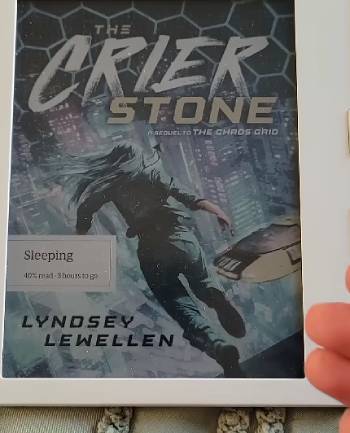
Pros of Kobo eReaders
- Native EPUB Support: Reads standard open ebook formats directly without requiring file conversions or email transfers.
- Direct OverDrive and Libby Integration: Borrow library books directly on the device screen across multiple countries.
- Physical Page-Turn Buttons: Asymmetrical models like the Libra Colour provide tactile buttons for comfortable one-handed reading.
- Stylus and Annotation Support: Write margin notes, highlight text in color, and maintain digital notebooks on supported models.
- Pocket and Instapaper Integration: Sync saved web articles directly to your reader for offline reading.
- Granular Typography Controls: Fine-tune font weight, letter spacing, line height, and margin width with extreme precision.
- Sideloading Friendly: Drag and drop files via USB cable without Amazon account tracking or format lock-in.
Cons of Kobo eReaders
- Smaller Store Catalog: The native Kobo bookstore has slightly fewer self-published indie titles than Amazon.
- Syncing App Differences: Smartphone reading sync across external devices is slightly less polished than Kindle’s whispernet.
- Slower Page Turns on Color Tech: Color E Ink models refresh slightly slower than black-and-white displays.
Pros and Cons of Amazon Kindle

Pros of Amazon Kindle
- World’s Largest Digital Bookstore: Instant access to millions of titles, including exclusive self-published authors.
- Kindle Unlimited Subscription: Massive rotating catalog of ebooks, magazine subscriptions, and audiobooks for a monthly fee.
- X-Ray Reference Tool: Exclusive feature that tracks characters, locations, historical terms, and key themes across long novels.
- Snappy Performance: Fast page refresh rates and fluid touchscreen navigation across current generation hardware.
- Seamless Ecosystem Sync: Whispersync keeps your reading page, highlights, and bookmarks updated across all your devices.
- Premium Hardware Build: Durable IPX8 waterproof construction and flush-front glass displays.
Cons of Amazon Kindle
- Closed Ecosystem Lock-In: Proprietary file formats make moving your library to non-Amazon hardware difficult.
- No Native EPUB Reading: Requires server conversions to read common open ebook formats.
- Clunky Library Borrowing: Requires external browser redirects and is largely restricted to US library card holders.
- Lock Screen Ads on Basic Models: Entry-level pricing includes sponsored screensaver ads unless you pay a fee to remove them.
- Lack of Physical Buttons: Mainstream models force you to rely entirely on touchscreen taps for page turns.
Also Read: My Thoughts On Walker Ignition Coil
Frequently Asked Questions (FAQs)
People prefer Kobo because it features an open ecosystem with native EPUB support, direct built-in OverDrive and Libby public library borrowing, physical page-turn buttons on popular models, custom typography settings, and freedom from Amazon account lock-in.
No, there is no mandatory monthly fee to use a Kobo eReader. You only pay for individual books you purchase, borrow books for free from your public library, or choose to subscribe to an optional Kobo Plus reading plan.
Many readers are switching to Kobo to escape Amazon’s closed ecosystem, enjoy seamless direct library book downloads via Libby, sideload their own EPUB files easily without server conversions, and use physical page-turn buttons.
Yes, Kobo eReaders are just as good as Kindles in hardware quality, battery life, waterproofing, and display crispness, while offering superior file format flexibility and library integration.
Final Thoughts
Choosing between these two top eReader platforms comes down to how you prefer to acquire, organize, and read your digital book collection.
If you want an open ecosystem with direct Libby library borrowing, physical page-turn buttons, and native EPUB freedom without Amazon lock-in, you should buy a Kobo eReader today.
However, if you want instant access to the world’s largest digital bookstore, Kindle Unlimited, X-Ray reference tools, and seamless Amazon ecosystem syncing, you should choose an Amazon Kindle right now.
Either choice delivers a glare-free, eye-friendly reading experience that will help you read more books every month.