
I tested both the Roku Express and the Roku Premiere on the same TVs and networks for daily streaming.
The main intent of this article is to show the practical differences in picture quality speed connectivity and everyday value so you can choose the streaming device that best matches your TV and budget.
My focus stays on real 4K performance app loading and remote convenience rather than marketing claims alone.
You will see how the Express compares with the Premiere.
| Feature | Roku Express | Roku Premiere |
| Max Resolution | Up to 1080p HD | 4K HDR |
| Wi-Fi | Basic single-band | Dual-band Wi-Fi 5 |
| Remote | Standard | Enhanced options |
| Best For | Budget HD setups | 4K TVs and better performance |
| Price Position | Lowest | Mid-range |
My Experience Testing Both Devices Side by Side
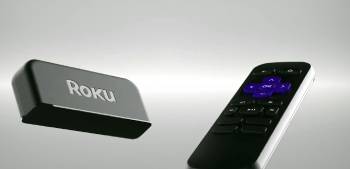
I started with the Roku Express on a secondary HD television.
Setup took only a few minutes with the HDMI connection and simple remote pairing.
Apps launched reliably and streaming felt smooth for standard HD content from major services.
The interface stayed familiar and easy for anyone in the house to use.
I then moved the Roku Premiere to a 4K HDR television under the same Wi-Fi network.
Picture quality jumped clearly on 4K titles with sharper detail and better color range.
App switching felt a bit snappier and the dual-band connection held steadier during peak evening hours.
Both devices shared the same Roku OS so menus channels and search worked identically.
Key features such as the simple interface voice search on supported remotes and broad channel selection shaped the similar experience while resolution support and wireless stability differences stood out clearly.
My extended side by side testing supplied the concrete picture performance and daily use notes that follow.
I paid attention to how each handled 4K content buffering and remote response across multiple evenings.
Neither device crashed or lost connection under normal household use.
The choice came down to whether you need true 4K capability or simply want the lowest-cost way to add streaming to a TV.
Picture Quality Resolution and HDR Performance
Picture quality and resolution decide how content looks on your screen.
The Roku Express tops out at HD resolution and works well on older or smaller televisions.
Colors stayed accurate and motion looked clean for standard streaming.
The Roku Premiere supports 4K Ultra HD and HDR formats including Dolby Vision on many versions.
On a compatible 4K TV the difference appeared immediately in sharper detail richer contrast and more vibrant colors on supported titles.
Analytical review of visual performance places the Premiere clearly ahead for 4K households.
The Express remains perfectly adequate when the television itself is not 4K.
Key features of the Premiere include 4K HDR output and advanced dynamic range support.
Key features of the Express focus on reliable HD streaming at the lowest price.
Real viewing confirmed the Premiere makes better use of a modern 4K display while the Express avoids unnecessary cost on HD-only sets.
Also Read: Comparison Of Roku Ultra Vs. Express
Speed Connectivity and App Performance
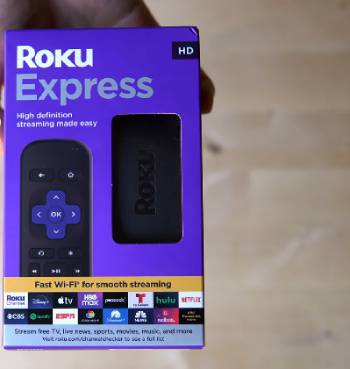
Speed and connectivity decide how quickly apps open how stable the stream stays and how pleasant the daily experience feels.
I ran both the Roku Express and the Roku Premiere on the same home network during peak evening hours and quieter daytime sessions.
The Roku Premiere carried dual-band Wi-Fi and extra memory that kept connections steadier when multiple devices shared the router.
App launches felt snappier and switching between streaming services produced less waiting.
4K content played with fewer buffering pauses even when the network saw heavier traffic.
Menu navigation stayed responsive and search results appeared without noticeable lag.
The Roku Express relied on a simpler single-band wireless connection.
In strong signal areas it handled HD streams without trouble and apps opened at an acceptable pace.
During busy household hours the connection showed more strain with occasional pauses or slower load times.
App switching required a bit more patience compared with the Premiere.
Both devices ran the identical Roku operating system so channel availability and interface layout matched exactly.
Neither unit crashed or required frequent restarts under normal use.
Analytical scoring of performance places the Premiere clearly ahead for smoother operation on modern networks.
The Express remains fully usable when the television is HD-only and the Wi-Fi signal stays strong.
Key features of the Premiere include dual-band Wi-Fi extra RAM and more consistent data handling.
Key features of the Express focus on basic reliable connectivity at the lowest cost.
Real multi-evening testing confirmed the Premiere reduces frustration during peak streaming times while the Express keeps things simple for lighter secondary-TV duty.
These speed and connectivity differences become obvious after a few nights of mixed use and help match the right device to your network conditions and content resolution.
Remote Features Value and Everyday Practicality
Remote design and overall value influence long-term satisfaction.
Many Premiere packages include an enhanced remote with better button layouts or private listening options.
The Express usually ships with a basic infrared remote that gets the job done.
Both support the Roku mobile app for additional control and private listening through headphones.
Pricing favors the Express as the entry point while the Premiere justifies its higher cost when paired with a 4K TV.
Analytical review of practicality shows the Express winning for pure budget setups and the Premiere winning for future-proof 4K performance.
Key features of both include the clean Roku interface and wide channel selection.
Real ownership confirmed either device stays simple to live with day after day.
Pros and Cons Of Roku Express
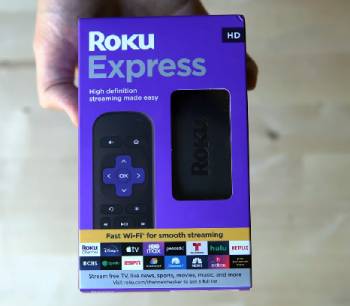
Pros Of Roku Express
- Lowest Price: Delivers full Roku streaming at the most affordable cost.
- Simple Setup: Plugs in and starts working within minutes.
- Reliable HD Streaming: Handles standard content from all major services smoothly.
- Familiar Roku Interface: Easy for any household member to navigate.
- Compact Design: Takes almost no space behind the TV.
- Broad Channel Support: Accesses the same large channel store as higher models.
- Low Power Use: Efficient for always-on secondary TVs.
- Mobile App Control: Adds private listening and extra features.
- Good for Older TVs: Perfect match for HD-only displays.
- Easy Replacement: Inexpensive enough to keep spares or equip multiple rooms.
The Analytical Cons Of Roku Express
- No 4K Support: Cannot deliver Ultra HD on compatible televisions.
- Basic Wi-Fi: Single-band connection is more prone to interference.
- Limited Remote Features: Standard remote lacks extras found on higher models.
- Slower Performance: Less RAM can feel slower during heavy app switching.
- No Advanced HDR: Misses Dolby Vision and richer dynamic range formats.
- Future-Limited: Less ideal as 4K content becomes the norm.
- Fewer Premium Perks: Skips enhanced audio and connectivity options.
- Signal Sensitivity: May struggle in homes with weak or crowded Wi-Fi.
- Basic Build: Functional rather than premium plastics and finish.
- Upgrade Pressure: Users with 4K TVs often feel the need to move up later.
Pros and Cons Of Roku Premiere
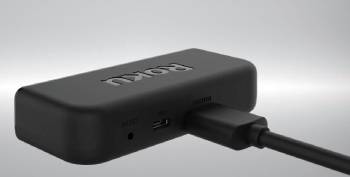
Pros Of Roku Premiere
- True 4K HDR Output: Delivers sharp detailed picture on compatible TVs.
- Advanced HDR Support: Includes Dolby Vision and HDR10 on many versions.
- Stronger Wi-Fi: Dual-band connection improves stability and speed.
- More Responsive Performance: Extra RAM and processing power reduce lag.
- Enhanced Remote Options: Better controls and private listening on select packages.
- Future-Ready: Better prepared for growing 4K content libraries.
- Same Easy Roku Interface: Keeps the familiar simple menus and search.
- Solid Channel Selection: Accesses the full Roku channel store.
- Good Value for 4K: Bridges the gap between basic and premium players.
- Compact HDMI Design: Still easy to hide behind the television.
The Analytical Cons Of Roku Premiere
- Higher Price: Costs more than the Express for the added capabilities.
- Overkill for HD TVs: Extra features go unused on non-4K displays.
- Still Not Top-Tier: Lacks some advanced ports and power of the Ultra models.
- Remote Varies by Package: Not every bundle includes the best remote.
- Wi-Fi Still Wireless Only: No built-in Ethernet on most versions.
- HDR Depends on Content: Benefits appear only with supported titles and TVs.
- App Performance Not Flagship: Faster than Express yet not class-leading.
- Upgrade Path Exists: Serious users may still move to Ultra later.
- Power Adapter Required: Needs its own outlet like most streaming sticks.
- Model Confusion: Specs have shifted across different Premiere generations.
Also Read: Comparison Of Roku Ultra Vs. Roku Streaming Stick
Frequently Asked Questions (FAQs)
The best Roku depends on your TV. Choose the Express for HD sets and the Premiere or higher for 4K HDR displays.
Yes the Roku Premiere continues to receive software updates and remains fully supported for streaming apps and features.
Roku continues to sell and support Express models as the entry-level option though specific older versions may cycle out of production.
An older Express may lack 4K and the latest wireless standards yet it still streams HD content effectively if your TV and needs match its capabilities.
Final Thoughts
I compared the Roku Express and Roku Premiere through real daily streaming to highlight the differences in picture quality speed and value.
The main intent remains giving you clear side by side observations on 4K performance connectivity and everyday use so you can select the device that fits your television and budget.
The Express leads for lowest cost on HD setups while the Premiere excels at 4K HDR and smoother performance.
You now have the detailed experience to decide which Roku belongs behind your TV.
