I wrote this article to compare the Netgear CM2000 and CM3000 through real home internet use so you can choose the cable modem that matches your speed plan and future needs.
You will see how each handles download and upload performance setup stability and compatibility with current cable networks.
Both support multi-gig downloads yet the CM3000 adds mid and high-split technology for stronger uploads.
Comparison Between Netgear Cm2000 Vs. Cm3000
| Feature | Netgear CM2000 | Netgear CM3000 |
| DOCSIS Standard | 3.1 | 3.1 with mid/high-split |
| Max Download | Up to 2.5 Gbps | Up to 2.5 Gbps |
| Max Upload | Limited on newer splits | Up to 1 Gbps on supported networks |
| Ethernet Port | 2.5 Gigabit | 2.5 Gigabit |
| Channel Bonding | 32×8 SC-QAM + OFDM/OFDMA | 32×8 SC-QAM + OFDM/OFDMA |
| Release Timeframe | Around 2020 | March 2024 |
| Best For | Solid gigabit downloads | Higher upload plans and future proofing |
| Router Required | Yes | Yes |
| Provider Compatibility | Major cable ISPs | Major cable ISPs with mid/high-split |
| Key Upgrade Focus | Multi-gig download | Multi-gig plus stronger uploads |
I installed the Netgear CM2000 first when my household moved to a gigabit cable plan and wanted to stop renting the provider modem.
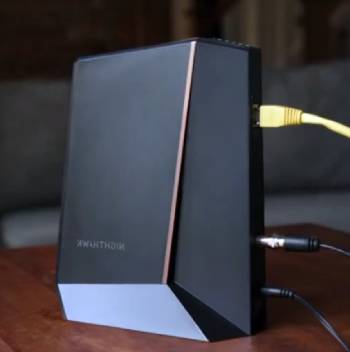
Activation went smoothly through the ISP portal and the 2.5G port linked cleanly to my router.
Download speeds regularly hit the plan limits during off peak hours and stayed consistent for streaming gaming and large file transfers.
Upload performance sat in the typical range for standard DOCSIS 3.1 low-split networks and felt adequate for video calls and cloud backups at the time.
The modem ran cool and stable with no random drops across weeks of continuous use.
LED indicators made basic status checks simple and the compact housing fit easily near the other network gear.
I later upgraded to the CM3000 after the provider began rolling out mid-split upgrades in my area and higher upload tiers became available.
Physical setup mirrored the CM2000 with the same coaxial and Ethernet connections.
Activation required a quick provider refresh yet completed without major issues.
Download speeds remained in the same multi-gig territory while upload speeds climbed noticeably once the network supported the newer split.
Video calls felt more responsive and large uploads finished faster which mattered for remote work and content creation.
The CM3000 continued the cool stable operation I had seen with the earlier model.
I ran speed tests at different times of day on both modems under identical router and device conditions.
The CM2000 delivered reliable downloads yet showed its limits once higher upload plans arrived.
The CM3000 unlocked those higher upstream numbers without sacrificing downstream consistency.
Both units required a separate router for Wi-Fi and local networking which kept the setup flexible.
Firmware stayed current through normal provider channels and neither modem needed frequent restarts.
After extended side by side evaluation the practical difference centered on upload capability and readiness for network upgrades rather than raw download performance.
That real world experience across changing ISP conditions shapes the detailed comparison that follows.
Maintenance Tips for Netgear Cm2000 Vs. Cm3000
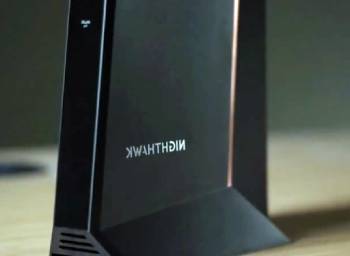
Proper care of both the Netgear CM2000 and CM3000 focuses on stable connections ventilation and occasional status checks.
Place the modem in an open area with good airflow so heat dissipates during continuous operation. Keep the coaxial cable tight and undamaged at both the wall and modem ends to maintain signal quality.
Use a high quality Ethernet cable rated for multi-gig speeds between the modem and router. Restart the modem and router together after provider maintenance or speed plan changes.
Check the LED status lights periodically for normal operation patterns. Avoid stacking other devices directly on the modem so ventilation stays clear.
Update firmware only through official provider or Netgear channels when prompted. Protect the unit from power surges with a quality surge protector or UPS.
These steady habits help both modems deliver consistent speeds and uptime across years of service.
I ran the Netgear CM2000 and CM3000 under the same household conditions and the differences centered on upstream capability and network readiness.
The CM2000 remains a solid performer for strong multi-gig downloads on standard plans and continues to serve many homes reliably.
The CM3000 steps ahead when higher upload tiers or mid and high-split upgrades arrive because it unlocks the faster upstream speeds those networks enable.
Both require a separate router and both deliver stable DOCSIS 3.1 performance when matched to the right plan.
After thorough testing I match the modem to the current and near future ISP offerings rather than buying solely on download numbers.
That practical approach should help you select the Netgear model that actually supports your speed plan and online activities.
Upload Performance In Daily Use
Living with both modems through normal household traffic revealed the practical impact of upload differences more clearly than any single speed test.
On the CM2000 my video calls stayed usable yet occasional compression artifacts appeared when several devices uploaded at once.
Large photo and document backups to cloud services took longer than expected once the provider enabled higher tier plans in the neighborhood.
The CM3000 changed that pattern. Uploads of the same files finished noticeably faster and video meetings maintained sharper quality even with multiple cameras active.
Remote work sessions felt smoother because screen shares and file transfers no longer competed as aggressively for upstream capacity.
Gaming while someone else streamed or backed up data produced fewer latency spikes.
I also tested simultaneous smart camera uploads and found the CM3000 handled the background traffic with less impact on foreground activities.
These gains only appeared after the cable plant supported mid-split configurations. In areas still running older splits the two modems behaved more similarly on upstream tests.
The daily experience confirmed that download numbers alone do not tell the full story. Households that upload large files host frequent video calls or run multiple cloud dependent devices benefit most from the CM3000 once the provider network is ready.
Until that upgrade arrives the CM2000 continues to deliver reliable performance for primarily download focused use.
Tracking real upload behavior under typical evening loads gave a clearer picture than peak overnight tests.
The difference showed up in reduced waiting and fewer quality compromises rather than in dramatic headline numbers.
That ongoing real use perspective remains the most useful way to judge which modem matches actual household patterns.
Also Read: Comparison Of Epson Ecotank 2400 Vs. 2800
Pros and Cons Of Netgear CM2000

Pros Of Netgear CM2000
- Proven Multi-Gig Download Performance: The modem reliably reaches up to 2.5 Gbps on supported plans for smooth streaming and large downloads.
- 2.5G Ethernet Port: Direct multi-gig connection to compatible routers avoids the bottleneck of older 1G ports.
- Stable DOCSIS 3.1 Operation: Consistent performance with major cable providers under normal network loads.
- Compact and Cool Running Design: Small footprint and low heat output suit continuous home use.
- Easy Provider Activation: Straightforward registration process with most large ISPs.
- Cost Effective For Gigabit Plans: Delivers strong download capability without the premium of newer split ready models.
- Reliable Long Term Track Record: Many households report years of dependable service on standard networks.
The Analytical Cons Of Netgear CM2000
- Limited Upload On Mid/High-Split Networks: Newer cable plant upgrades can restrict upstream speeds compared with split ready modems.
- Older Design Relative To CM3000: Lacks the spectrum improvements that unlock higher uploads on upgraded systems.
- Potential Compatibility Notes From Providers: Some ISPs begin recommending newer models for the latest speed tiers.
- No Built-In Wi-Fi: Requires a separate router which adds another device to the setup.
- Future Proofing Concerns: As more areas adopt mid and high-split the modem may not reach full plan potential.
- Upload Bottlenecks For Heavy Users: Video calls large cloud syncs and content uploads feel constrained on advanced plans.
- Replacement Pressure Over Time: Providers may push newer approved models as networks evolve.
Pros and Cons of Of Netgear CM3000

Pros Of Netgear CM3000
- Mid and High-Split Support: Unlocks higher upload speeds up to 1 Gbps on compatible provider networks.
- Strong Multi-Gig Downloads: Maintains up to 2.5 Gbps downstream performance for demanding households.
- 2.5G Ethernet Connectivity: Ensures the full multi-gig link reaches a compatible router.
- Future Ready Design: Better positioned for ongoing cable network upgrades and higher tiers.
- Stable and Cool Operation: Continues the reliable always on performance expected from Nighthawk modems.
- Improved Upstream For Modern Use: Benefits video conferencing remote work and large file uploads.
- Easy Integration With Existing Setups: Works with the same routers and activation processes as prior models.
The Analytical Cons Of Netgear CM3000
- Higher Purchase Price: Costs more than the CM2000 which may feel unnecessary on basic gigabit plans.
- Still Requires Separate Router: No built-in Wi-Fi means an additional device for wireless coverage.
- Benefits Depend On Provider Network: Higher uploads only appear where mid or high-split is active.
- Newer Model With Shorter Track Record: Less long term field data compared with the established CM2000.
- Overkill For Modest Speed Plans: Extra split capability adds little value on lower tier service.
- Activation May Need Provider Support: Some accounts require a refresh when switching from older modems.
- Limited Gains Without Multi-Gig Router: Full potential needs matching multi-gig Ethernet on the router side.
Also Read: Comparison Of Arris S34 Vs. Netgear Cm3000
Frequently Asked Questions (FAQs)
The CM3000 focuses on mid/high-split for higher uploads with a 2.5G port while the CM2500 uses dual 1G ports with link aggregation for up to 2 Gbps and different split support.
The CM3000 became available around March 2024 as Netgear’s mid/high-split DOCSIS 3.1 modem.
Any quality multi-gig router with a 2.5G WAN port works well. Netgear Orbi or Nighthawk Wi-Fi 6E/7 models pair naturally for full speed potential.
Yes. The CM3000 is a modem only and needs a separate router for Wi-Fi and local network features.
Final Thoughts
I compared the Netgear CM2000 and CM3000 across real household internet use so you can see which modem matches your speed plan and network conditions.
Both provide strong multi-gig download capability yet the CM3000 adds mid and high-split support that improves uploads on upgraded cable systems.
Choose the model that aligns with your current plan and expected provider upgrades so the modem delivers the speeds you pay for without early replacement.