
I used both the Logitech MX Master 3 and the MX Master 3S side by side for months of daily work across multiple computers.
The main intent of this article is to show the practical differences in click noise sensor performance and daily comfort so you can choose the mouse that best matches your desk environment and workflow.
My focus stays on real typing and design sessions measured tracking and long-term hand feel rather than specification sheets alone.
You will see how each mouse performs during long days of productivity tasks.
| Feature | Logitech MX Master 3 | Logitech MX Master 3S |
| Sensor DPI | Up to 4000 DPI | Up to 8000 DPI |
| Click Sound | Standard mechanical feel | 90 percent quieter clicks |
| Scroll Wheel | MagSpeed electromagnetic | MagSpeed electromagnetic |
| Tracking Surface | Good on most surfaces | Improved on glass |
| Shape and Buttons | Same ergonomic design | Same ergonomic design |
| Battery Life | Up to 70 days | Up to 70 days |
| Connectivity | Bluetooth + Logi Bolt | Bluetooth + Logi Bolt |
| Best For | Proven productivity | Quieter offices and higher precision |
My Experience Testing Both Mice Side by Side
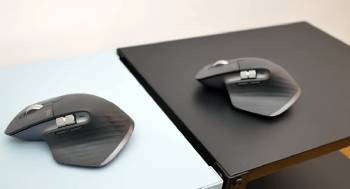
I kept the MX Master 3 on my main Windows workstation and the MX Master 3S on my MacBook setup for direct comparison.
Both mice shared the same sculpted shape that supports the hand without pressure points.
The first difference I noticed was the click sound.
The Master 3 produced a clear audible click on every left and right press.
The 3S reduced that noise dramatically so the clicks became soft and subdued.
In a quiet office the 3S felt far less disruptive during long document sessions.
I tested tracking on a standard cloth pad a hard plastic desk and a glass table surface.
Both mice tracked cleanly on the cloth and plastic.
On glass the 3S held the cursor more steadily with fewer micro-stutters.
The Master 3 required a mouse pad on glass to stay fully reliable.
DPI range showed its value during detailed photo work.
I raised the 3S to higher sensitivity for fine cursor control and it responded with smoother increments.
The Master 3 topped out lower yet still felt precise for normal office tasks.
The MagSpeed scroll wheel behaved identically on both.
A light flick sent the page flying and a gentle touch switched to precise line-by-line mode.
Thumb wheel and gesture button mapped the same way through Logi Options software.
Battery life matched the claimed seventy days on both when I disabled the most power-hungry features.
I charged each mouse roughly once every two months under heavy daily use.
Multi-device switching worked flawlessly.
I paired both mice to three computers and jumped between them with a single button press.
After eight weeks of alternating use the shape still felt natural and no hot spots developed on my palm or fingers.
Key features such as the contoured shell and customizable buttons kept the core experience consistent.
My extended side-by-side use supplied the concrete noise tracking and comfort notes that follow.
Click Noise and Office Suitability
Click noise becomes important when you share a space or record audio.
The MX Master 3 delivers a traditional tactile click that some users prefer for feedback.
The MX Master 3S cuts that sound by roughly ninety percent according to Logitech measurements and my own ears confirmed the drop.
In open offices or during video calls the quieter 3S reduced the chance of distracting colleagues or appearing in recordings.
I typed and clicked for full mornings with each mouse.
The 3S let me work without thinking about the sound.
The Master 3 remained pleasant yet clearly louder.
Analytical review of acoustic performance places the 3S ahead for shared or quiet environments.
Key features of the 3S include the redesigned quiet switch mechanism.
Key features of the Master 3 include the familiar audible feedback some typists still enjoy.
Real daily use showed the quieter clicks as the most immediately noticeable upgrade.
Sensor Performance and Tracking Accuracy
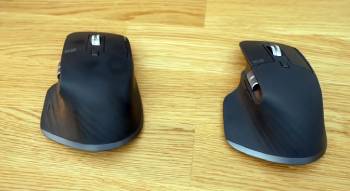
Sensor capability affects how the cursor behaves on different surfaces and at different speeds.
The MX Master 3 uses a capable 4000 DPI optical sensor that handles most desk setups without trouble.
The MX Master 3S doubles the maximum DPI to 8000 and improves the tracking algorithm.
On glass surfaces the 3S maintained smoother movement while the Master 3 occasionally hesitated.
For detailed design work or large spreadsheet navigation the higher DPI range on the 3S gave finer control when I needed it.
Both sensors tracked accurately on cloth and hard pads at normal office speeds.
Analytical scoring of tracking places the 3S ahead for difficult surfaces and high-precision tasks.
Key features of the 3S include the elevated DPI ceiling and glass-optimized sensor.
Key features of the Master 3 include reliable performance on conventional mouse pads.
Daily cursor work confirmed the 3S as the more versatile tracker.
Ergonomics and All-Day Comfort
Ergonomics decide whether your hand feels fresh at the end of the day.
Both mice share the identical right-hand sculpted shape with a pronounced thumb rest and gentle arch.
I used each for full eight-hour workdays without developing pressure points.
The rubber side grips stayed secure even during rapid movements.
Button placement for the thumb wheel and gesture control felt natural on both.
Weight distribution stayed balanced and neither mouse felt front-heavy or rear-heavy.
Analytical review of comfort calls the contest a draw because the physical design remains unchanged.
Key features such as the contoured shell and soft-touch materials appear on both models.
Real extended sessions confirmed that either mouse supports long productivity hours equally well.
Also Read: Comparison Of Razer Naga V2 Pro Vs. Hyperspeed
Pros and Cons Of Logitech MX Master 3
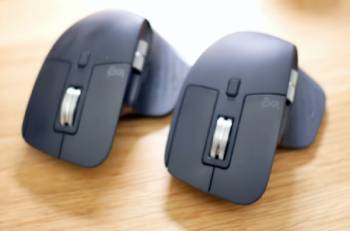
Pros Of Logitech MX Master 3
- Proven Reliability: Years of real-world use have established the Master 3 as a dependable productivity tool across many professions.
- Familiar Click Feedback: The standard switches deliver clear tactile and audible response that some users prefer for confirmation.
- Excellent MagSpeed Wheel: Electromagnetic scrolling switches between hyper-fast and precision modes with a light touch.
- Strong Multi-Device Support: Easy pairing and instant switching between up to three computers remains smooth and reliable.
- Long Battery Life: Up to seventy days of use on a single charge under typical settings reduces charging frequency.
- Comfortable Ergonomic Shape: The sculpted body supports the hand during long sessions without hot spots.
- Customizable Buttons: Logi Options software allows full remapping of the side buttons and gesture controls.
- Solid Tracking on Standard Surfaces: The 4000 DPI sensor performs cleanly on cloth and hard mouse pads.
- Wide Software Compatibility: Works well across Windows macOS and most major applications.
- Established Ecosystem: Accessories and support remain readily available for this generation.
The Analytical Cons Of Logitech MX Master 3
- Audible Click Noise: The standard switches produce noticeable sound that can distract in quiet offices or during recordings.
- Lower Maximum DPI: The 4000 DPI ceiling limits fine control compared with the newer sensor.
- Glass Surface Limitations: Tracking becomes less consistent on pure glass desks without a pad.
- Older Sensor Generation: The optical system lacks the refinements introduced in the 3S.
- No Quiet-Click Option: Users seeking reduced noise must look to the newer model.
- Slightly Dated Feature Set: Incremental improvements in the successor leave the Master 3 one step behind.
- Same Weight Profile: The mouse feels substantial which some users with smaller hands may notice over time.
- Firmware Support Window: As a previous generation the update cycle may shorten over the coming years.
- Price Retention: Used and new stock can still command premium pricing despite the newer alternative.
- Less Ideal for Silent Environments: Shared workspaces favor the quieter successor.
Pros and Cons Of Logitech MX Master 3S
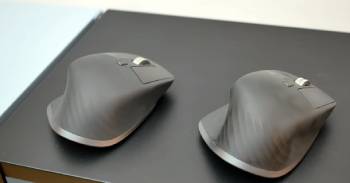
Pros Of Logitech MX Master 3S
- Nearly Silent Clicks: Redesigned switches reduce click volume by approximately ninety percent for quieter operation.
- Higher 8000 DPI Sensor: Elevated sensitivity provides finer cursor control for detailed work.
- Improved Glass Tracking: The updated optical system maintains smoother movement on glass surfaces.
- Identical MagSpeed Wheel: The same excellent electromagnetic scroll performance carries over unchanged.
- Same Ergonomic Excellence: The proven shape continues to support the hand through long workdays.
- Multi-Device Convenience: Seamless switching between three devices remains fast and reliable.
- Strong Battery Endurance: Up to seventy days of use matches the previous generation under similar conditions.
- Full Customization Support: Logi Options Plus software unlocks deep button and gesture remapping.
- Refined Sensor Accuracy: Tracking feels more consistent across a wider range of desk materials.
- Modern Quiet Workplace Fit: The reduced noise makes the mouse better suited to open offices and content creation.
The Analytical Cons Of Logitech MX Master 3S
- Higher Purchase Price: The newer model typically costs more than remaining Master 3 stock.
- Click Feel Preference: Some users miss the stronger audible and tactile feedback of the older switches.
- Same Overall Weight: The mouse remains substantial and may feel heavy to users who prefer lighter options.
- Learning the Quiet Response: Typists accustomed to loud clicks may need a short adjustment period.
- Incremental Rather Than Revolutionary: Core shape and wheel stay identical so the upgrade feels evolutionary.
- Software Dependence: Full feature access still requires the Logi Options application.
- Limited Left-Hand Support: The design remains right-hand only like its predecessor.
- Premium Positioning: Cost sits above many solid mid-range productivity mice.
- Battery Claims Under Heavy RGB: Intensive lighting features reduce the real-world runtime.
- Availability of Colors: Certain finishes can sell out faster than the previous generation.
Also Read: Comparison Of Logitech Z623 Vs. Logitech Z625
Frequently Asked Questions (FAQs)
The MX Master 3S Business version focuses on enterprise deployment with Logi Bolt receiver emphasis and management tools while the standard 3S targets individual users with the same core performance.
The MX Master 3 has been succeeded by the 3S yet remaining stock and refurbished units continue to appear in the market.
The MX Master 3S carries a substantial weight that most users find stable and comfortable though some prefer lighter mice for rapid movements.
The S in MX Master 3S stands for the quieter Silent clicks and the refined sensor updates that distinguish it from the previous model.
Final Thoughts
I compared the Logitech MX Master 3 and the MX Master 3S through months of real daily work to highlight the differences in click noise and sensor performance.
The main intent remains giving you clear side-by-side observations on quiet operation tracking accuracy and long-term comfort so you can select the mouse that fits your desk environment.
Both deliver excellent ergonomics and productivity features yet the 3S pulls ahead for quieter workplaces and higher precision needs.
You now have the detailed experience to decide which MX Master belongs next to your keyboard.
