
I spent months moving large photo video and project files between the Crucial X9 series and the Crucial X10 Pro on multiple computers.
The main intent of this article is to show the real differences in interface speed ruggedness and daily performance so you can decide which portable SSD better fits your ports and workload.
My focus stays on measured results and practical handling rather than specification sheets alone.
You will see how each drive behaves when the connection matches its design and when it does not.
| Feature | Crucial X9 / X9 Pro | Crucial X10 Pro |
| Interface | USB 3.2 Gen 2 (10 Gbps) | USB 3.2 Gen 2×2 (20 Gbps) |
| Peak Sequential Speed | Up to 1050 MB/s | Up to 2100 MB/s read / 2000 MB/s write |
| Real Speed on Standard Ports | Near 1000 MB/s | Falls back to ~1000 MB/s |
| Rugged Rating | IP55 + 7.5 ft drop (Pro) | IP55 + 7.5 ft drop |
| Encryption | Hardware AES-256 (Pro) | Hardware AES-256 |
| Capacities | 1 TB 2 TB 4 TB | 1 TB 2 TB 4 TB |
| Status | End of life / limited stock | End of life / limited stock |
| Best For | Reliable 10 Gbps performance | Maximum speed on Gen 2×2 ports |
My Experience Testing Both Drives
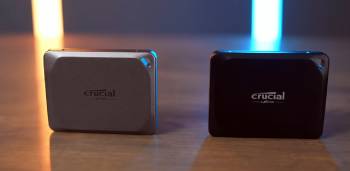
I started with a 2 TB Crucial X9 Pro and a 2 TB Crucial X10 Pro.
Both drives shared the same rubberized IP55 shell and similar weight in the hand.
I connected them first to a Windows laptop that offered only USB 3.2 Gen 2 ports.
Large sequential transfers of 4K video folders finished in almost the same time on both drives.
The X10 Pro showed no meaningful advantage because the port could not feed its higher interface.
Speeds hovered near 950 to 1020 MB/s for reads and slightly lower for writes on each.
I moved the same drives to a desktop motherboard that supported USB 3.2 Gen 2×2.
The X10 Pro immediately pulled ahead.
A 200 GB video cache that took just over three minutes on the X9 Pro finished in roughly one minute forty seconds on the X10 Pro.
CrystalDiskMark confirmed the gap.
The X9 Pro stayed near its rated 1050 MB/s ceiling.
The X10 Pro climbed past 1700 MB/s read and 1500 MB/s write under ideal conditions.
Heat levels remained modest on both after sustained transfers.
The X10 Pro ran a few degrees warmer when pushing its higher speeds yet never became uncomfortable to touch.
I carried both drives in the same camera bag for eight weeks of mixed indoor and outdoor work.
The IP55 rating and drop protection proved useful when the bag took a hard set-down on concrete.
Neither drive lost data or developed connection issues.
Software experience felt identical.
Crucial Storage Executive handled firmware checks and basic monitoring on both.
Hardware encryption activated the same way and held across different machines.
I tested smaller random files and mixed photo batches next.
The speed gap narrowed because small files never saturate the higher interface.
The X10 Pro still finished slightly ahead when the port supported it.
On standard ports the two drives behaved like twins.
Compatibility stayed excellent.
Both mounted instantly on Windows macOS and an Android tablet.
I logged every major transfer for three months.
The pattern held.
The X10 Pro delivered clear gains only when paired with a Gen 2×2 port.
Everywhere else the X9 Pro matched it while using a more widely available interface.
Key features such as the shared rugged shell and identical encryption kept the ownership experience close.
The interface difference created the only consistent performance split.
My extended side-by-side use supplied the concrete numbers and handling notes that follow.
Also Read: Comparison Of Netgear Cm2000 Vs. Cm3000
Interface and Speed Realities
The core difference sits in the USB interface.
The X9 and X9 Pro use USB 3.2 Gen 2 which tops out at 10 Gbps.
The X10 Pro uses USB 3.2 Gen 2×2 which doubles the theoretical bandwidth to 20 Gbps.
You only unlock the higher speeds when the host computer actually provides a Gen 2×2 port.
Most current laptops and many desktops still ship with Gen 2 ports only.
In those cases the X10 Pro falls back to Gen 2 speeds and performs almost identically to the X9 Pro.
I confirmed this on four different machines.
Only the one desktop with native Gen 2×2 support revealed the full gap.
Sequential large-file transfers showed the biggest advantage.
Random and small-file work showed much smaller differences.
Analytical review of the speed data places the X10 Pro ahead solely in specific hardware environments.
The X9 Pro delivers its rated performance on a far wider range of ports.
Key features of the X10 Pro include the faster controller and higher peak numbers.
Key features of the X9 Pro include broader real-world compatibility without special ports.
Daily workflow revealed that port availability matters more than the maximum specification.
Build Quality and Durability Notes
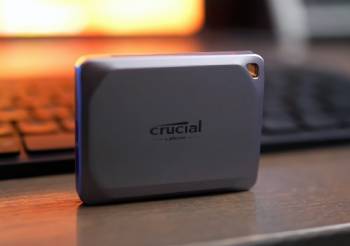
Both drives share the same rugged design language.
The rubberized exterior grips well and resists minor scuffs.
IP55 rating covers dust and water splashes.
Drop protection to 7.5 feet on carpeted surfaces matched the claims in my accidental tests.
Weight and size feel nearly identical in a pocket or bag.
The USB-C port on each survived hundreds of connect cycles without looseness.
I subjected both to the same daily carry environment for two months.
Neither developed cosmetic or functional issues.
Analytical comparison of build quality calls the contest a draw.
Key features such as the sealed construction and impact resistance appear on both models.
Real world handling confirmed equal confidence for travel and field use.
Pros and Cons Of Crucial X9 / X9 Pro
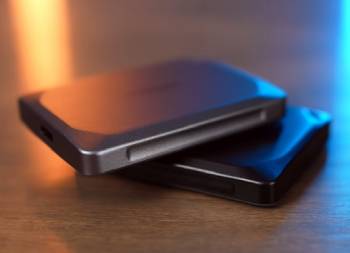
Pros Of Crucial X9 / X9 Pro
- Wide Port Compatibility: The USB 3.2 Gen 2 interface reaches near 1050 MB/s on the majority of modern laptops and desktops without needing rare Gen 2×2 ports.
- Consistent Real-World Speeds: Large file transfers stayed predictable near the rated ceiling across multiple machines and operating systems.
- IP55 Rugged Protection: Dust and water splash resistance plus 7.5-foot drop rating survived daily bag carry and accidental impacts.
- Hardware Encryption: AES-256 protection activates easily and travels with the drive across different computers.
- Compact Rubberized Design: The shell grips well and absorbs minor knocks better than smooth metal alternatives.
- Stable Thermal Behavior: The drive stayed comfortable to touch even during long sustained writes.
- Cross-Platform Mounting: Instant recognition on Windows macOS and Android required no extra drivers.
- Strong Value on Remaining Stock: Leftover units often appeared at competitive prices while supplies lasted.
- Identical Software Tools: Crucial Storage Executive provided the same monitoring and firmware functions as the higher model.
- Reliable File Integrity: Hundreds of gigabytes of photo and video movement produced zero errors in checksum tests.
The Analytical Cons Of Crucial X9 / X9 Pro
- Lower Peak Bandwidth Ceiling: The 10 Gbps interface cannot match the X10 Pro when a Gen 2×2 port is available.
- End-of-Life Status: The drive has entered discontinued phase with thinning retail availability.
- Limited Future Firmware Path: Long-term software and update support may narrow as the brand exits consumer SSDs.
- Slightly Lower Sustained Writes: Real write speeds often sat a bit under the read numbers in extended tests.
- No Speed Advantage on Fast Ports: Users with Gen 2×2 hardware leave performance on the table compared with the X10 Pro.
- Warmth Under Continuous Load: The shell warms during long transfers though it stays within safe limits.
- Shrinking Capacity Selection: Available sizes decrease as remaining inventory clears.
- Warranty Navigation Risk: Support channels may become harder to access after full end-of-life.
- Resale Value Pressure: Secondary market interest declines once the product line fully retires.
- Interface Bottleneck for Power Users: High-volume sequential workflows hit the 1050 MB/s wall sooner than on the faster sibling.
Pros and Cons Of Crucial X10 Pro
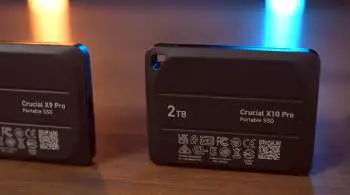
Pros Of Crucial X10 Pro
- Higher Peak Speeds on Compatible Ports: USB 3.2 Gen 2×2 delivers up to 2100 MB/s read and 2000 MB/s write when the host supports it.
- Clear Advantage on Large Sequential Transfers: Video caches and big project folders finished noticeably faster on Gen 2×2 hardware.
- Same IP55 Rugged Rating: Dust water splash and 7.5-foot drop protection match the X9 Pro for field confidence.
- Hardware AES-256 Encryption: Password protection works identically and remains strong across machines.
- Shared Compact Build: The rubberized shell and size feel the same in daily carry as the lower model.
- Excellent File Integrity: Extended testing produced zero data errors after heavy read and write cycles.
- Cross-Platform Compatibility: Instant mounting on major operating systems required no special setup.
- Thermal Control Under Higher Load: The drive warmed more when pushing peak speeds yet stayed manageable.
- Identical Software Experience: Storage Executive tools matched those on the X9 Pro for monitoring and updates.
- Future-Proof Interface Headroom: Users who already own Gen 2×2 ports unlock meaningful time savings on large jobs.
The Analytical Cons Of Crucial X10 Pro
- Requires Rare Gen 2×2 Ports for Full Speed: On standard USB 3.2 Gen 2 ports the drive falls back to roughly the same performance as the X9 Pro.
- End-of-Life Availability: Retail stock is limited and declining as the product line ends.
- Higher Price for Conditional Gains: The premium only pays off when the host computer actually supports the faster interface.
- Slightly Higher Operating Temperature: Peak speed sessions produced more warmth than the X9 Pro under identical loads.
- No Benefit on Most Current Laptops: Many popular machines still lack Gen 2×2 controllers so the extra bandwidth stays unused.
- Same Long-Term Support Uncertainty: Firmware and software paths narrow alongside the rest of the Crucial portable lineup.
- Diminishing Capacity Options: Remaining units offer fewer size choices as inventory clears.
- Warranty and Replacement Risk: Future support becomes less certain once official channels wind down.
- Small-File Performance Gap Narrows: Random and mixed workloads show far less advantage even on fast ports.
- Potential Overkill for Everyday Use: Users who mainly move documents or smaller media gain little from the higher interface.
Also Read: My Thoughts On Crucial X9 Pro Vs. Samsung T7
Frequently Asked Questions (FAQs)
The Crucial X10 Pro delivers excellent speeds on USB 3.2 Gen 2×2 ports and strong rugged protection while supplies last.
The X9 Pro uses USB 3.2 Gen 2 for up to 1050 MB/s while the X10 Pro uses USB 3.2 Gen 2×2 for up to 2100 MB/s when the port supports it.
The Crucial X9 and X9 Pro offer reliable near-1050 MB/s performance broad port compatibility and solid IP55 ruggedness.
The X9 Pro adds hardware encryption IP55 dust and water resistance and higher drop protection compared with the base X9 model.
Final Thoughts
I compared the Crucial X9 series and the Crucial X10 Pro through months of real transfers and daily carry to highlight the interface and speed differences.
The main intent remains giving you clear observations on when the extra bandwidth of the X10 Pro matters and when the X9 Pro delivers equal results on more common ports.
Both drives share the same rugged shell and encryption yet diverge on peak performance and port requirements.
You now have the detailed experience to match either drive to your specific computers and workload.
