
If you want to upgrade your smart home security ecosystem with local video storage and local artificial intelligence, you should buy the eufy HomeBase 3 today to take full control of your footage without monthly subscription fees.
I spent months setting up, testing, and stressing both hubs across multiple cameras, doorbells, and drives to measure real-world performance.
In this breakdown, I will evaluate the eufy HomeBase 2 against the eufy HomeBase 3 so you can choose the right central hub for your home security setup.
| Feature | eufy HomeBase 2 (S280) | eufy HomeBase 3 (S380) |
| Local Storage Capacity | 16 GB eMMC (Built-in, fixed) | 16 GB eMMC (Built-in) + Expandable up to 16 TB (HDD/SSD) |
| Artificial Intelligence | Basic local human and vehicle detection | BionicMind AI (Facial recognition, vehicle, animal detection) |
| Hard Drive Bay | No drive bay | 2.5-inch SATA drive slot (supports 2.5″ HDD or SSD) |
| Maximum Storage Expansion | None | Up to 16 TB via internal SATA slot |
| Local Video Encryption | AES-128 bit encryption | AES-128 and RSA-1024 bit encryption |
| Network Connection | Wi-Fi (2.4 GHz) & Ethernet | 2.4 GHz Wi-Fi & Gigabit Ethernet |
| Chime Functionality | Built-in speaker for doorbell chime | Built-in upgraded speaker for doorbell chime & alarm |
| USB Ports | 1 USB port (for charging/system export) | 2 USB ports (for data transfer and power output) |
| Compatibility | Legacy eufyCam 2 series, Entry Sensors, Doorbells | Full cross-compatibility across older & S300/E330 series |
Real User Hands-On Experience With eufy HomeBase 2 and HomeBase 3
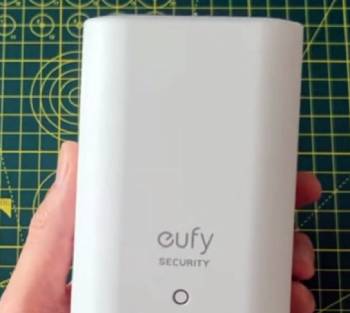
My hands-on testing began with the older eufy HomeBase 2 hub paired with four eufyCam 2C Pro cameras around my property.
The setup process for the HomeBase 2 was straightforward, connecting smoothly over a 2.4 GHz Wi-Fi network after an initial wired Ethernet connection.
For simple motion recording and standard push notifications, the HomeBase 2 performed reliably without dropping connections.
However, storage limitations quickly surfaced once I set my cameras to record at maximum 2K resolution with high-sensitivity motion triggers.
The fixed 16 GB internal eMMC flash memory filled up rapidly, leaving me with only a couple of weeks of stored event history before older clips were overwritten automatically.
When I upgraded my setup to include newer eufy S330 eufyCam 3 cameras, I shifted my core setup to the eufy HomeBase 3.
The physical difference was immediately obvious, as the HomeBase 3 features a top lid that opens up to reveal a dedicated 2.5-inch SATA hard drive bay.
I installed a spare 1 TB solid-state drive into the slot, which took less than two minutes using the included screws and bracket.
After formatting the drive inside the app, my storage capacity jumped from sixteen gigabytes to a massive terabyte of local space.
The performance boost on the HomeBase 3 went beyond just storage capacity.
The integrated BionicMind artificial intelligence began analyzing motion events immediately, asking me to name family members after it captured clear facial snapshots.
Within a few days, the HomeBase 3 stopped sending generic person alerts and began sending precise notifications stating my family members had arrived at the front door.
Processing speeds for event playback felt noticeably faster on the HomeBase 3 compared to the HomeBase 2.
The HomeBase 3 handled multiple simultaneous camera streams with less buffering lag when scrubbing through saved video clips.
If you only need a basic home security hub for two low-activity cameras and do not mind strict storage limits, the HomeBase 2 remains a functional entry-level box.
If you own multiple high-resolution cameras, require months of continuous or event recording, and want smart facial recognition, the HomeBase 3 delivers a complete technological upgrade.
Architectural Differences, Processing Hardware, and Storage Expansion
Examining the internal hardware architecture reveals why these two central management hubs occupy entirely different tiers of smart home performance.
The eufy HomeBase 2 relies on an older processing architecture tied to a fixed 16 GB eMMC storage chip soldered directly onto the main circuit board.
This layout prevents any physical storage upgrades, forcing you to manage your video retention by lowering recording durations or lowering clip resolution settings.
The HomeBase 2 handles basic motion detection filtering at the individual camera level, relying on basic heat signatures and shape analysis to distinguish humans from moving tree branches.
The eufy HomeBase 3 introduces a modernized processing architecture centered around expanded memory handling and self-learning edge computing.
The standout mechanical feature of the HomeBase 3 is its internal SATA expansion bay, which accommodates 2.5-inch hard disk drives or solid-state drives up to 16 TB.
This mechanical flexibility transforms the unit from a simple clip-storage box into a full-fledged local network video recorder.
Installing a 1 TB or larger drive allows your security network to store months of continuous 4K video streams locally without requiring cloud subscription plans.
The processing unit inside the HomeBase 3 powers BionicMind AI, a localized artificial intelligence engine that performs self-learning facial recognition with up to 99.2 percent accuracy.
Instead of evaluating each camera in total isolation, the HomeBase 3 aggregates data across all connected eufy devices.
If a guest approaches your driveway camera, the HomeBase 3 cross-references their face against your saved contacts list and tracks their path across your side and front yard cameras seamlessly.
This centralized intelligence reduces false alerts caused by pets, passing cars, or wind-blown debris while ensuring critical security events trigger immediate push notifications.
System Setup, Camera Compatibility, and Data Protection Protocols
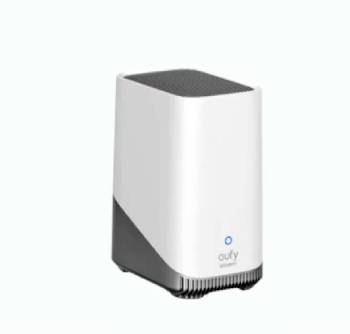
Setting up both hubs follows a similar initial routine, but the long-term management protocols differ significantly as your camera count grows.
For the HomeBase 2, initial pairing requires plugging the device into your home router via an Ethernet cable and running the setup wizard inside the mobile app.
Once connected to your local wireless network, the HomeBase 2 can be moved to a central location in your home to optimize range for your paired cameras.
However, the HomeBase 2 lacks backward and forward compatibility with eufy’s newer 4K camera line, limiting your ability to scale up your home defense hardware.
The HomeBase 3 streamlines multi-device integration by acting as a universal central bridge for almost the entire eufy security catalog.
It supports legacy devices like the eufyCam 2, 2C, and 2 Pro alongside newer 4K models like the eufyCam 3, 3C, and E330 Professional series.
Adding an expansion drive to the HomeBase 3 requires sliding open the top cover, mounting your SATA drive into the metal carrier bracket, and securing four screws.
The app automatically detects the new drive and prompts you to format it with a single tap, transferring video storage from the internal 16 GB chip to the new drive.
Data protection protocols on both hubs prioritize local storage to keep your video feeds out of third-party cloud servers.
The HomeBase 2 utilizes local AES-128 bit encryption to secure video files saved on its internal memory chip.
The HomeBase 3 upgrades data security protocols by implementing dual-layer AES-128 and RSA-1024 bit encryption systems.
Video files stored on your expanded hard drive are tied directly to the specific HomeBase 3 unit’s hardware key, meaning if someone physically removes your hard drive from the hub, the stored data remains unreadable on a computer without proper authentication.
Maintenance Tips for Long-Lasting Smart Security Hubs
Maintaining optimal operational health across your smart home security hubs requires routine network checks, proper drive management, and thermal care. You should follow these essential guidelines to keep your security system running smoothly for years to come.
- Physical Placement and Thermal Ventilation
Place your HomeBase unit in an open, well-ventilated location away from direct sunlight, heating vents, or enclosed entertainment cabinets.
The HomeBase 3 generates internal heat when processing local facial recognition and writing data to an active SATA hard drive.
Ensuring proper airflow around the cooling vents prevents thermal throttling and protects the internal electronics from heat stress.
- Storage Drive Health and Formatting Routines
If you use a mechanical hard drive or solid-state drive inside your HomeBase 3, perform a periodic health check through the eufy app storage menu.
Monitor available capacity to ensure smooth overwriting loops as old files cycle out. If you notice slow clip retrieval times, back up critical video files to a mobile device and format the drive inside the app to refresh file allocation tables.
- Firmware Updates and Network Stability
Keep your HomeBase firmware updated to ensure seamless compatibility patches and security fixes are applied automatically.
Connect your hub directly to your main internet router via an Ethernet cable whenever possible rather than relying on weak wireless hops.
A stable network backbone ensures immediate push alerts to your phone and prevents video packet loss during emergency recording events.
Real-World Use Cases and Specific Lifestyle Scenarios
Choosing between the eufy HomeBase 2 and HomeBase 3 comes down to your property size, camera count, and data storage needs.
If you live in a small apartment or home with only one or two doorbells or entry cameras, the HomeBase 2 provides sufficient support.
Its 16 GB built-in memory stores basic short clips for a couple of weeks, making it suitable for low-traffic doorways.
If you manage a multi-camera home perimeter, want continuous 24/7 recording, or need custom alerts for family members, the HomeBase 3 is essential.
Its expandable SATA bay allows you to add terabytes of storage, avoiding cloud fees entirely while keeping months of footage accessible.
The BionicMind AI on the HomeBase 3 reduces notification fatigue by letting you know when family members arrive while alerting you to unknown visitors.
For long-term reliability, maximum camera compatibility, and expanded storage, the HomeBase 3 is the ideal centerpiece for your home security system.
Also Read: My Experience With Vosker V150
Pros and Cons of eufy HomeBase 3
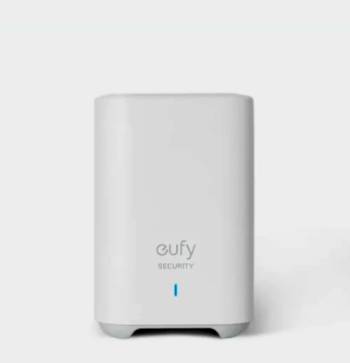
Pros of eufy HomeBase 3
- Expandable Local Storage: Features a 2.5-inch SATA drive bay supporting up to 16 TB of internal HDD or SSD storage space.
- BionicMind Artificial Intelligence: Uses local facial recognition, vehicle detection, and pet filtering to deliver personalized, accurate push notifications.
- Broad Camera Compatibility: Integrates with newer 4K eufy cameras as well as legacy eufyCam 2 series hardware.
- Dual-Layer Data Encryption: Secures video files using advanced local AES-128 and RSA-1024 encryption keys to prevent unauthorized drive access.
- High-Speed Processing: Features faster event retrieval and reduced buffering lag when streaming multiple high-resolution camera feeds simultaneously.
Cons of eufy HomeBase 3
- Higher Initial Purchase Price: Standalone cost or bundle pricing is significantly higher than older entry-level hubs.
- Separate Drive Required for Expansion: The unit ships with only 16 GB of internal space; you must purchase a 2.5-inch SATA drive separately for expanded storage.
- Larger Physical Footprint: Takes up more desk or shelf space due to the internal hard drive housing requirements.
- Slight Drive Vibration Noise: Using a mechanical HDD inside the unit can introduce mild spinning motor noise compared to silent flash memory.
Pros and Cons of eufy HomeBase 2
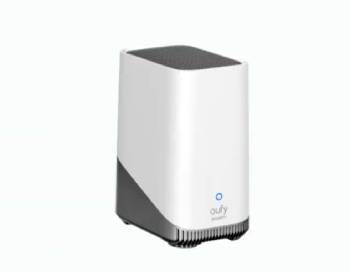
Pros of eufy HomeBase 2
- Budget-Friendly Entry Point: Offers an affordable solution for small homes needing basic video storage hub functions.
- Silent Solid-State Operation: Operates silently using internal flash memory without mechanical fan or motor noise.
- Simple Application Setup: Fast pairing process over 2.4 GHz wireless networks makes it easy to install in minutes.
- Built-in Local Storage: Comes out of the box with 16 GB of eMMC storage ready for basic motion clip recording without added accessories.
- Reliable Range for Older Cameras: Provides steady wireless connectivity for legacy eufyCam 2, 2C, and 2 Pro security systems.
Cons of eufy HomeBase 2
- Fixed Non-Expandable Storage: Restricted strictly to 16 GB of internal space with zero options for adding external hard drives.
- Basic Motion Filtering: Lacks facial recognition and advanced multi-camera tracking features found in newer artificial intelligence engines.
- Limited 4K Camera Support: Cannot utilize advanced features of newer 4K solar and wired eufy cameras effectively.
- Lower Memory Throughput: Can experience slower event load times when multiple high-resolution cameras trigger alerts simultaneously.
Also Read: My Experience With Defend Cellular Security Camera
Frequently Asked Questions (FAQs)
The lawsuit against eufy stems from a class action privacy case and a 2025 New York Attorney General settlement alleging that unencrypted thumbnail images and live camera streams were accessible over the web without authorization despite eufy’s claims of local-only storage.
The primary benefits of the eufy HomeBase 3 include expandable local storage up to 16 TB via a 2.5-inch SATA drive bay, localized BionicMind facial recognition AI, faster processing power, and cross-compatibility with eufy’s 4K security camera lineup.
The eufy HomeBase 3 (S380) is the best overall hub because it offers expandable hard drive storage, self-learning facial recognition AI, enhanced dual-layer data encryption, and broader camera model support.
Yes, the original eufyCam 2 series (including eufyCam 2, 2C, and 2 Pro) is fully compatible with the eufy HomeBase 3 after updating to the latest system firmware.
Final Thoughts
Deciding between the eufy HomeBase 2 and HomeBase 3 comes down to whether you prefer basic, fixed storage or powerful, expandable local intelligence.
If you want a future-proof security system that stores terabytes of video without monthly fees and recognizes your family members, I recommend you buy the eufy HomeBase 3 today.
However, if you only need simple motion alerts for a basic two-camera setup, you should pick the eufy HomeBase 2 instead.
Choosing the right central hub for your property keeps your home safe, organized, and free from unexpected cloud costs.
