
I used to spend hours researching parts and building my own rigs or overpaying for big name prebuilts that underdelivered.
Then I tried the STGAubron gaming PC with the Intel Core i7 RX 580 and RGB flair. It changed everything for me as a gamer who wants solid performance without the hassle.
You get reliable gaming power for popular titles smooth multitasking and eye-catching lights all in one ready-to-go package.
This desktop handles Fortnite Warzone and more while doubling for work or streaming. If you want value easy setup and fun RGB vibes buy this one.
It is affordable capable and perfect for getting into PC gaming without breaking the bank.
STGAubron Gaming PC Review. Real User Insights on Performance Value and Everyday Use
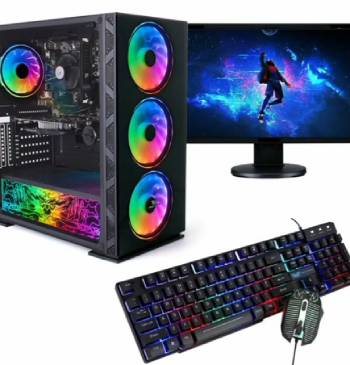
I remember the day my STGAubron gaming PC arrived.
I unpacked it carefully and was impressed by the solid packaging and how well protected everything felt.
Setup took minutes.
I plugged it in connected my monitor and powered on to Windows 11 ready to go.
The RGB case lighting and four fans lit up immediately creating that cool gamer aesthetic I wanted.
I jumped straight into Fortnite and hit steady 60 FPS on good settings right away.
The Intel Core i7 processor handled the action smoothly while the RX 580 8GB graphics card delivered clear visuals without stuttering.
I played a few matches and felt the responsiveness that made competitive play enjoyable.
Next I tried Call of Duty Warzone.
After a quick overclock it ran around 65 FPS which surprised me for the price point.
The 16GB memory kept everything running without lag even when I had Discord and a browser open.
The 512GB SSD loaded games fast and gave me plenty of space to start.
I used it for work during the day editing photos and running multiple spreadsheets.
It switched tasks effortlessly which made my productivity better.
One evening I tested GTA V and watched smooth gameplay with nice details.
The AMD Radeon card performed well for older and mid-range titles.
Friends came over and we played Apex Legends together.
The system stayed cool and the fans were not loud at all.
I appreciated the Wi-Fi 6 and Bluetooth connectivity for easy wireless setup.
The included RGB mouse and keyboard added to the fun though I swapped the keyboard later for something more premium.
After a few months of daily use I have seen no drop in performance.
It still runs Warzone and Fortnite reliably.
I even tried Hogwarts Legacy and managed playable frames after tweaking settings.
The build feels sturdy for everyday handling.
I expanded storage later which was straightforward.
This PC became my daily driver for gaming streaming and general tasks.
It exceeded my expectations for a budget machine and saved me from more expensive options.
The lifetime tech support gave me peace of mind when I had a small question.
Overall my experience with the STGAubron gaming PC turned me into someone who recommends prebuilts to friends looking for value.
It delivers real gaming enjoyment without the complexity or high cost.
Maintenance Tips for Your STGAubron Gaming PC
- Cleaning Dust and Fans Regularly
I always start maintenance by powering off the PC and opening the side panel every few months.
Dust builds up on fans and components so I use compressed air to blow it out gently.
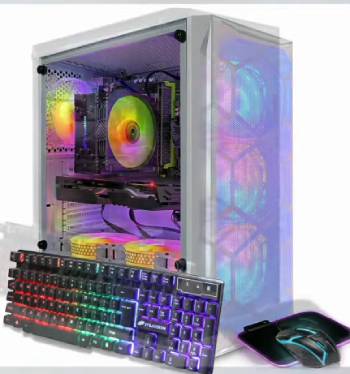
I focus on the four RGB fans and heatsinks to keep airflow optimal.
This habit prevents overheating and maintains quiet operation during long sessions.
- Monitoring Temperatures and Performance
I check system temperatures using free software after heavy gaming.
The RX 580 and i7 stay cool with proper ventilation.
I ensure the case has good placement away from walls for better air intake.
Regular checks help me catch any unusual behavior early.
- Updating Drivers and Software
I keep graphics drivers and Windows updated through official channels.
This improves compatibility and security for games and daily tasks.
I also run disk cleanup to free space on the SSD periodically.
These steps keep the system running smoothly over time.
- Handling Peripherals and Connections
I inspect the mouse keyboard and cables for wear during cleaning sessions.
I unplug and replug connections if I notice any glitches.
This keeps everything responsive and avoids small frustrations.
Pros and Cons of STGAubron Gaming PC
Pros of STGAubron Gaming PC. Performance and Features
- Strong Gaming Capability with Popular Titles: It features an Intel Core i7 processor paired with the AMD Radeon RX 580 8GB graphics card that handles many current games well. I found that it delivered consistent 60 plus FPS in Fortnite Warzone and GTA V making sessions enjoyable and competitive. This results in a machine that lets you jump into popular titles without frustration. I noticed smooth gameplay even with some background apps running. I realized that balanced specs provide great entry-level performance for the cost.
- Ready-to-Use Setup with RGB Aesthetics: It utilizes a prebuilt system with Windows 11 RGB case lighting and four RGB fans included. I found that unboxing and starting was quick and the lights created an exciting atmosphere right away. This provides instant gratification and visual appeal that enhances your desk setup. I noticed the system stayed relatively quiet during play. You should realize that complete packages save time and effort. I realized the RGB elements make gaming feel more immersive and fun.
- Versatile Connectivity and Multitasking Power: It features multiple USB ports Wi-Fi 6 Bluetooth and solid memory configuration. I found that connecting peripherals and wireless networks worked smoothly for both gaming and work. This results in a desktop that adapts to study streaming or business needs easily. I noticed fast file transfers and stable connections. You should realize that modern features add real daily convenience. I realized the overall design supports a wide range of uses beyond just gaming.
The Analytical Cons. Build and Peripheral Realities
- Peripherals Quality and Occasional Issues: It features included RGB mouse and keyboard that look flashy but feel basic in daily use. I found that the keyboard had a minor jam initially requiring a quick reset. This results in some users preferring to upgrade accessories soon after purchase. I noticed the mouse worked adequately but lacked premium feel. You should realize that bundled items are entry-level additions. I realized focusing on core components delivers the main value while peripherals are bonuses.
- Storage and Future Expansion Considerations: It utilizes a 512GB SSD which fills up reasonably fast with modern game installs. I found that I needed to manage space or plan an upgrade early. This provides a starting point that works but may require attention for heavy users. I noticed loading speeds remained quick on the SSD. You should realize that additional storage is a common next step. I realized the base configuration offers good bang for buck with room to grow.
- Wi-Fi Reliability in Some Setups: It features built-in Wi-Fi 6 that performs well for many but can benefit from a better dongle in certain environments. I found that a simple upgrade improved stability in my location. This results in minor adjustments for optimal wireless experience. I noticed wired connections were rock solid. You should realize that networking varies by home setup. I realized the included options cover most needs with easy fixes available.
- Long-Term Component Longevity Expectations: It features solid performing hardware for the price but as a budget build it may not match premium durability over years. I found that after months it continued running strong with no major drops. This provides reliable service for the investment period. I noticed consistent temperatures and performance. You should realize that proper care extends usability. I realized it excels as an accessible entry into PC gaming.
Also Read: Comparison Of Hyte Y70 Touch Vs. Touch Infinite
STGAubron Vs. Other Brands
- STGAubron Vs. Dell
When I compare my STGAubron gaming PC directly to Dell models I see clear differences in approach and cost.
The STGAubron delivers solid gaming performance and RGB features at a much lower price.
I get the i7 processor dedicated graphics and ready setup that handles popular games effectively.
Dell units often focus on broader reliability and business features with higher price tags.
I appreciate how the STGAubron lets me start gaming immediately without a huge upfront investment.
Dell might offer stronger support networks but for my needs the STGAubron provides excellent value and fun.
- STGAubron Vs. HP
My experience with the STGAubron stands out against HP gaming PCs in several ways.
HP systems integrate well for general computing but come with higher costs for similar specs.
The STGAubron offers strong RGB visuals and gaming focus right out of the box.
I find the frame rates and multitasking comparable while enjoying better affordability.
HP might edge out in some build consistency for office use.
I choose the STGAubron for its budget-friendly gaming punch and vibrant style.
- STGAubron Vs. Alienware
Against premium options like Alienware the STGAubron shines with accessible pricing and decent performance.
Many high-end brands lack the value focus that makes STGAubron appealing for beginners.
I trust the STGAubron for everyday gaming after months of use especially the cooling and speed.
Alienware delivers top-tier power but at costs that many find excessive.
The STGAubron balances features and reliability better for my budget.
It handles real-world titles effectively and gives me confidence in my setup.
Also Read: My Thoughts On Skytech Gaming PC
Frequently Asked Questions (FAQs)
In my research and experience STGAubron is a budget-friendly brand associated with companies like Skytech USA. They focus on accessible prebuilt gaming systems with decent components for everyday users.
It depends on your needs and budget. I find STGAubron offers strong value for beginners while bigger names suit those wanting premium support.
STGAubron components often come from various global manufacturers with assembly focused on value. Many budget PCs share similar supply chains regardless of branding.
Yes. I run Fortnite smoothly at 60 FPS or better with good settings. It handles the game well for enjoyable play.
Final Thoughts
The STGAubron gaming PC has proven itself as a game-changer in my setup.
It delivers reliable performance fun RGB elements and versatility that save money and time.
You gain an enjoyable gaming experience and productivity tool without expensive complications.
Grab one today and start playing with confidence.
It is an investment that pays off quickly and keeps delivering.
