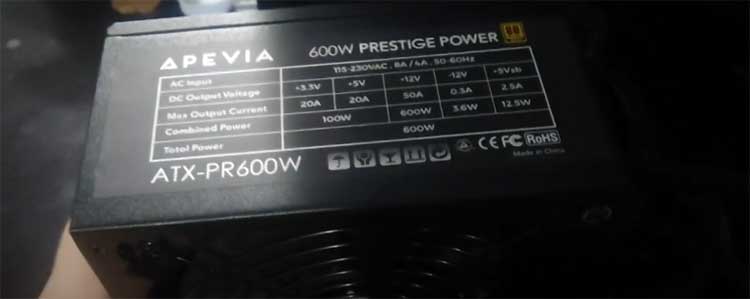
I tested the Skytech Azure 3 gaming PC and found a high-performance prebuilt that makes a practical choice for 1440p gaming and everyday power users.
The main intent of this article is to show you why this Ryzen 7 and RTX 5070 system belongs in your setup for smooth ultra settings and strong upgrade potential.
You will see how the solid cooling fast storage and ready-to-play design deliver real benefits that justify the purchase for many gamers.
My Experience Using the Skytech Azure 3
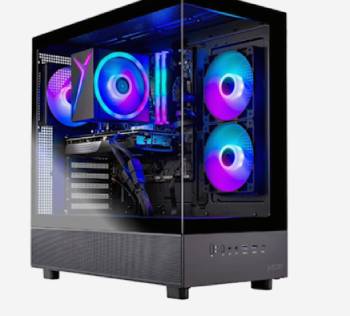
I set up the Skytech Azure 3 and used it for several weeks of 1440p gaming productivity and general desktop work.
The AMD Ryzen 7 9700X paired with 32GB of DDR5-6000 memory handled modern titles and multitasking without hesitation.
The NVIDIA GeForce RTX 5070 12GB delivered smooth frame rates above 60 FPS at ultra settings in demanding games at 1440p.
The 1TB Gen4 NVMe SSD made game loads and Windows boot times feel nearly instant compared with older hard-drive systems.
The 360mm AIO liquid cooler kept temperatures under control even during longer gaming sessions.
ARGB lighting in the case and fans added a clean visual look behind the tempered glass side panel.
Windows 11 Home arrived ready to use and the included keyboard and mouse allowed immediate play while I waited for my preferred peripherals.
Cable management inside the case was acceptable for a prebuilt and airflow remained strong.
Overall the experience confirmed a well-balanced mid-to-high-end gaming PC that prioritizes current-generation performance and ease of ownership.
Key specifications such as the Ryzen 7 9700X RTX 5070 32GB DDR5 and 360mm AIO shaped a system built for smooth 1440p gaming.
My weeks of varied use and attention to frame rates temperatures and daily responsiveness supplied the practical observations that follow.
Gaming Performance Thermals and Real-World Frame Rates
Gaming performance thermals and real-world frame rates determine how the Skytech Azure 3 feels during actual play.
I tested a mix of demanding titles at 1440p with ultra settings and monitored both frame rates and temperatures.
The RTX 5070 12GB delivered smooth performance above 60 FPS in modern AAA games and often reached higher averages in esports and lighter titles.
The Ryzen 7 9700X handled background tasks and CPU-heavy moments without creating bottlenecks.
During longer sessions the 360mm AIO kept CPU temperatures well controlled and the system avoided thermal throttling.
GPU temperatures stayed within normal limits under load.
Frame times remained consistent which translated into smooth gameplay rather than stuttering.
These results confirm the Azure 3 is well suited for high-refresh 1440p gaming.
Overall the combination of current-generation graphics and effective cooling produces reliable real-world performance for daily gaming.
Build Quality Cooling and Daily Usability
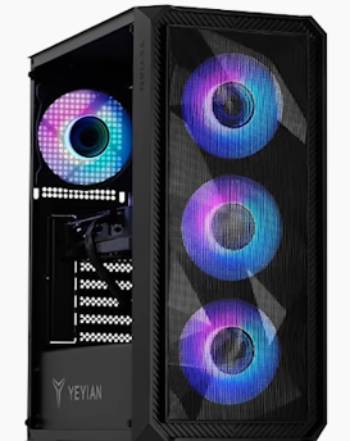
Build quality cooling and daily usability shape everyday ownership of the Skytech Azure 3.
The Skytech Azure case with tempered glass presents a clean look and shows the ARGB fans and liquid cooler clearly.
Cable management inside the prebuilt was acceptable and airflow paths remained effective.
The 360mm AIO provided strong cooling headroom so the system stayed stable during both gaming and productivity work.
Daily usability benefits from the included keyboard and mouse which allow immediate use while you decide on preferred peripherals.
Wi-Fi and multiple USB ports cover common connectivity needs without extra adapters.
Noise levels rise under heavy load yet remain reasonable for a performance-oriented system.
These traits make the Azure 3 practical for both focused gaming sessions and general desktop use.
Overall build quality and cooling support a smooth daily experience for most users.
Value Upgrade Path and Long-Term Ownership
Value upgrade path and long-term ownership complete the assessment of the Skytech Azure 3.
As a prebuilt the system costs more than a comparable self-build yet saves time and arrives with warranty coverage.
Current performance is strong enough that many owners will not need major upgrades for several years.
When upgrades become necessary the use of standard desktop components allows relatively straightforward swaps of storage memory or graphics card within case and power-supply limits.
Long-term ownership benefits from regular dusting driver updates and keeping adequate free space on the SSD.
Users who prioritize convenience and ready-to-play performance will find the value acceptable.
Those comfortable with building their own PC may achieve lower cost for similar specifications.
Overall the Azure 3 offers solid longer-term ownership for gamers seeking strong 1440p performance without assembling the system themselves.
Maintenance Tips for Best Results
Simple habits help the Skytech Azure 3 stay reliable and perform well over time.
Keep the PC in a well-ventilated area and avoid blocking the front or top intake.
Dust the exterior filters and vents every few weeks with compressed air.
Monitor temperatures occasionally with free software during long gaming sessions.
Update GPU drivers regularly through the official NVIDIA app.
Leave enough free space on the SSD for optimal performance.
Back up important files to an external drive or cloud service.
Avoid moving the case while it is powered on.
These practices support stable temperatures and longer component life.
Even basic dusting and driver updates make a clear difference in daily responsiveness and longevity.
Pros and Cons Of Skytech Azure 3
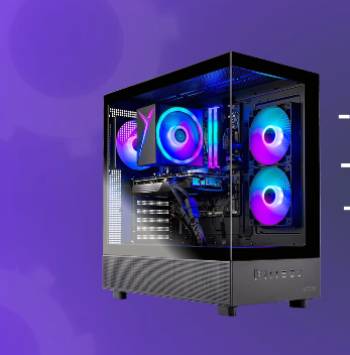
Pros Of Skytech Azure 3
- Strong 1440p Performance: RTX 5070 handles ultra settings with comfortable frame rates.
- Modern CPU: AMD Ryzen 7 9700X offers high single and multi-core speed.
- 32GB DDR5-6000 RAM: Provides ample memory for gaming and multitasking.
- Fast 1TB Gen4 SSD: Delivers quick load times and system responsiveness.
- 360mm AIO Liquid Cooling: Keeps the CPU cool under sustained loads.
- Tempered Glass Case: Shows off ARGB lighting and internal components.
- Included Peripherals: Keyboard and mouse allow immediate use out of the box.
- Wi-Fi and Multiple USB Ports: Covers everyday connectivity needs.
- Upgradeable Design: Standard components leave room for future improvements.
- Assembled in USA with Warranty: Includes parts and labor coverage plus support.
The Analytical Cons Of Skytech Azure 3
- Prebuilt Premium: Costs more than an equivalent self-built system.
- Component Brands May Vary: GPU or other parts can differ from marketing images.
- 1TB Storage Fills Quickly: Gamers with large libraries will need extra drives soon.
- Stock Airflow Depends on Case Layout: Some configurations may benefit from additional fans.
- RGB Software Extra: Full lighting control may require additional apps.
- Not the Quietest Under Load: Liquid cooler and fans produce noticeable noise at high performance.
- Windows 11 Home Only: No Pro version included for advanced users.
- Shipping Risk: Large PC cases can suffer transit damage without perfect packaging.
- Support Experience Varies: Prebuilt support quality depends on individual cases.
- Future GPU Upgrades Limited by PSU and Case: Power supply and clearance should be checked before big upgrades.
Also Read: My Experience With Skytech Gaming PC
Skytech Azure 3 Vs. Other Brands
- Skytech Azure 3 Vs. iBUYPOWER Prebuilts
iBUYPOWER is a major prebuilt competitor with wide configurations.
I compared both and found iBUYPOWER offering similar performance tiers while Skytech Azure 3 focused on a clean Ryzen and RTX 5070 balance with liquid cooling.
iBUYPOWER suits buyers who want extensive customization options.
Skytech Azure 3 delivers strong out-of-box 1440p value.
Both brands serve the prebuilt gaming market effectively.
- Skytech Azure 3 Vs. Alienware Gaming Desktops
Alienware emphasizes premium design and brand prestige.
Side-by-side consideration showed Alienware often costing more for similar raw performance while Skytech Azure 3 provided higher component value at a lower price.
Alienware wins for unique styling and ecosystem.
Skytech Azure 3 wins on pure price-to-performance.
Budget versus brand experience guides the choice.
- Skytech Azure 3 Vs. CyberPowerPC Systems
CyberPowerPC offers a broad range of gaming desktops.
Direct comparison revealed comparable specs in the same price band while Skytech Azure 3 stood out with its 360mm AIO and tempered-glass presentation.
CyberPowerPC suits shoppers seeking frequent sales.
Skytech Azure 3 competes through cooling and current-gen parts.
Availability and current promotions often decide.
- Skytech Azure 3 Vs. Self-Built Equivalent PC
Building your own PC allows full part selection and lower cost.
I found a self-build cheaper for the same performance yet the Skytech Azure 3 saved time and arrived ready to play with warranty coverage.
Self-building suits experienced users.
Skytech Azure 3 suits buyers who want convenience and support.
Time versus money is the main trade-off.
- Skytech Azure 3 Vs. Other Skytech Models
Skytech offers multiple tiers within its lineup.
Side-by-side reality showed smaller Skytech systems better for 1080p budgets while the Azure 3 targeted smooth 1440p with stronger cooling and memory.
Lower models win for entry price.
Azure 3 is the higher-performance option for current games.
Target resolution and budget determine the best Skytech choice.
Also Read: My Experience With STGAubron Gaming PC
Frequently Asked Questions (FAQs)
Skytech is a known prebuilt manufacturer with mixed but generally acceptable customer feedback. Warranty and support quality can vary by individual case.
Neither is universally better. Both offer competitive prebuilts. Choice often comes down to specific configuration price and current promotions.
Yes. It uses standard desktop components so CPU cooler memory storage and graphics card can be upgraded within case and power-supply limits.
Skytech usually offers better raw performance per dollar. Alienware focuses on premium design and brand experience at a higher price.
Final Thoughts
I used the Skytech Azure 3 and found a powerful prebuilt that makes a practical choice for smooth 1440p gaming.
The main intent remains showing you the real results on performance cooling and everyday value so you can decide with clear information.
The Ryzen 7 RTX 5070 combination and liquid cooling deliver benefits that justify adding this system to your setup.
You now have the detailed experience to choose the Skytech Azure 3 and enjoy high-frame-rate gaming without building from scratch.