
I rode with both the Garmin Edge 840 and Edge 540 on the same routes for training and longer days.
The main intent of this article is to show the practical differences in interface storage navigation and daily handling so you can choose the cycling computer that best matches your needs.
My focus stays on real touchscreen usefulness map access and battery life rather than marketing claims alone.
You will see how the Edge 840 compares with the Edge 540.
| Feature | Garmin Edge 540 | Garmin Edge 840 |
| Interface | Buttons only | Touchscreen + buttons |
| Screen Size | 2.6 inch | 2.6 inch |
| Storage | 16 GB | 32 GB |
| On-Device Address Search | No | Yes |
| Weight (approx) | 80 g | 85 g |
| Battery Life | Up to 26 hours | Up to 26 hours |
| Best For | Simple button control and value | Touch navigation and extra storage |
My Experience Testing Both Computers Side by Side
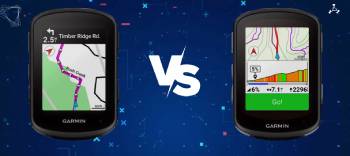
I started with the Edge 540 mounted on my primary road bike.
The seven physical buttons felt positive and reliable even with light gloves.
Scrolling through data fields and maps required deliberate presses yet stayed consistent in wet conditions.
Battery life easily covered long weekend rides with multi-band GPS active.
I then switched to the Edge 840 on the same mount.
The touchscreen let me pinch-zoom and drag the map quickly when I needed a closer look at an upcoming turn.
The physical buttons remained available so I never lost control when my fingers were wet or cold.
Extra storage meant I could keep more map regions loaded without swapping files.
Both units delivered the same accurate multi-band positioning ClimbPro climb data and training metrics.
Key features such as the identical 2.6-inch screen USB-C charging and full sensor support shaped the similar core experience while the touchscreen and storage created the clear differences.
My extended side-by-side testing supplied the concrete interface and practicality notes that follow.
Interface Control and On-Bike Usability
How you interact with the computer while riding decides daily satisfaction.
The Edge 540 relies entirely on seven physical buttons.
Every action from changing pages to zooming the map uses a clear press.
The system stays reliable in rain and with gloves yet map panning feels slower.
The Edge 840 adds a responsive touchscreen while keeping the same buttons.
I could drag the map or zoom with a finger when stopped or on smooth roads.
In rough conditions I simply used the buttons and lost nothing.
Analytical review of real rides places the 840 ahead for flexible control.
The 540 remains excellent when you prefer pure button simplicity and lower cost.
Key features of both include glove-friendly buttons and bright transflective displays.
Storage Maps and Navigation Features
Internal memory and on-device map tools decide how freely you can explore without relying on a phone.
I tested both the Edge 540 and Edge 840 on familiar routes and in unfamiliar areas with detailed maps loaded.
The Edge 540 comes with 16 GB of storage and maps for one primary region.
That capacity handles standard road maps and a reasonable amount of ride history.
When I added extra trail detail or a second region the free space filled faster and forced more management.
On-device address search is not available so new courses usually start on a phone or computer and transfer over.
Turn-by-turn guidance and re-routing still work reliably once a course is loaded.
The Edge 840 doubles storage to 32 GB and often includes broader preloaded map coverage.
I could keep North American and European detail or extra trail layers without constant file swapping.
Address search and simple course creation worked directly on the device.
That proved useful when plans changed mid-ride or I needed a quick point-to-point route.
Pinch-zoom and map dragging via the touchscreen made checking upcoming turns faster when I stopped or rode smooth pavement.
Analytical review of real navigation needs places the 840 ahead for on-device freedom and storage headroom.
The 540 still delivers solid preloaded route following and accurate multi-band positioning for most riders.
Key features of the 840 focus on the larger memory and direct search tools.
Key features of the 540 focus on sufficient capacity for typical single-region use at a lower cost.
These differences become clear once you start riding in new areas or keep multiple map sets ready.
The better choice depends on whether you value maximum on-device map flexibility or prefer a simpler lower-cost unit that still handles core navigation well.
Battery Life Sensors and Everyday Practicality
Battery endurance sensor pairing and daily handling decide how little the computer interrupts your riding.
I used both the Edge 540 and Edge 840 on long weekend rides weekday training and multi-hour efforts with full sensor loads.
Both units claim up to 26 hours in standard GPS mode and more when solar charging or battery-saver settings are active.
In real mixed use with multi-band GNSS a power meter heart-rate strap and radar the endurance stayed nearly identical.
I finished long days with comfortable reserves on each computer.
USB-C charging proved fast and convenient for both.
A short top-up overnight returned them to full.
Sensor pairing worked the same way.
Power meters heart-rate monitors speed cadence sensors and rear radar connected quickly and stayed stable.
ClimbPro stamina estimates daily suggested workouts and incident detection appeared on both without difference.
Everyday practicality also includes mount security and at-a-glance readability.
The shared 2.6-inch transflective screen stayed clear in bright sun and low light.
Buttons on both models remained positive even with light gloves.
The 840 added touch flexibility yet never required it for basic data or navigation.
Analytical review of real ownership shows the core practical experience is almost the same.
The 840’s extra cost buys the touchscreen and larger storage rather than longer battery life or broader sensor support.
Key features of both include multi-band positioning full ANT+ and Bluetooth connectivity and reliable all-day power.
Key features of the 840 focus on the added interface options that improve map interaction.
These similarities become clear after several full charge cycles and varied ride types.
The better daily choice depends less on battery or sensors and more on whether you value touchscreen map control and extra storage headroom.
Also Read: My Experience With Garmin Edge 1040
Pros and Cons Of Garmin Edge 540
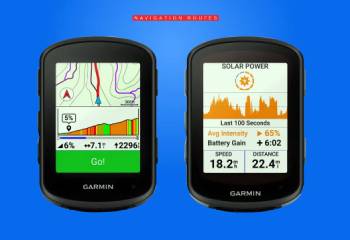
Pros Of Garmin Edge 540
- Buttons-Only Simplicity: Reliable control in all weather and with gloves.
- Lower Price: Strong value for full mid-range features.
- Lightweight Design: Slightly less mass on the bars.
- Identical Core Metrics: Same multi-band GPS ClimbPro and training tools.
- Solid Battery Life: Matches the 840 in real use.
- USB-C Charging: Modern and convenient.
- Full Sensor Support: Works with power radar and heart-rate devices.
- Proven Reliability: Button interface has fewer potential touch issues.
- Easy Learning Curve: Straightforward for riders who prefer physical controls.
- Sufficient Storage for Most: 16 GB handles typical map and ride needs.
The Analytical Cons Of Garmin Edge 540
- No Touchscreen: Map interaction is slower via buttons only.
- Half the Storage: 16 GB limits how many detailed maps you can keep loaded.
- No On-Device Address Search: Course creation usually needs a phone or computer.
- Fewer Preloaded Regions: May require more map management for travel.
- Less Flexible Navigation: Pinch-zoom and drag are unavailable.
- Perceived as Lower Spec: Some riders prefer the 840’s extra interface options.
- Future Map Growth: Larger files could fill storage sooner.
- Resale Preference: Touchscreen models sometimes hold value better.
- On-Device Workout Building Limits: Structured workouts are easier to import.
- Fewer Convenience Features: Misses the small daily-use touches of the 840.
Pros and Cons Of Garmin Edge 840
Pros Of Garmin Edge 840
- Touchscreen Plus Buttons: Flexible control for maps and menus.
- Double Storage: 32 GB supports more maps and offline content.
- On-Device Address Search: Create or find locations without a phone.
- Broader Map Coverage: Often ships with additional regions preloaded.
- Same Strong Battery Life: Matches the 540 in real riding.
- Identical Training Features: Full ClimbPro stamina and workout tools.
- USB-C and Modern Connectivity: Fast charging and easy pairing.
- Glove and Wet Weather Ready: Buttons remain when touch is less ideal.
- Future-Proof Storage: More room for growing map detail.
- Polished Daily Experience: Quicker map interaction when you need it.
The Analytical Cons Of Garmin Edge 840
- Higher Price: Noticeable premium over the 540 for the added features.
- Slightly Heavier: A few extra grams on the handlebars.
- Touchscreen Learning: Takes a short adjustment for some button-only riders.
- Potential Touch Issues in Rain: Buttons remain as backup yet touch can lag when wet.
- Overkill for Simple Needs: Extra features go unused if you only follow preloaded routes.
- Same Battery as 540: No endurance advantage despite higher cost.
- More Complex Interface: Extra options can feel unnecessary for pure data riders.
- Storage Still Finite: Very large map sets can still require management.
- Premium Positioning: Sits closer to higher models in price.
- Diminishing Returns: Core ride experience stays very close to the 540.
Also Read: Comparison Of Garmin Edge 840 Vs. 1040
Frequently Asked Questions (FAQs)
Yes if you value the touchscreen on-device address search and extra storage. For pure button simplicity and lower cost the 540 remains excellent.
Yes the 540 delivers the same core GPS training and battery performance as the 840 at a lower price.
It is worth the premium for riders who frequently interact with maps or want maximum on-device flexibility.
The Edge 840 was released in 2023 and remains a current mid-range model.
Final Thoughts
I compared the Garmin Edge 840 and 540 through real rides to highlight the differences in interface storage and navigation.
The main intent remains giving you clear side-by-side observations on control map access and daily practicality so you can select the computer that fits your riding.
The 840 leads for touchscreen convenience and extra storage while the 540 offers nearly identical core performance at a lower cost.
You now have the detailed experience to decide which Edge belongs on your bars.
