You should buy the PRGR launch monitor if you are a golfer who values immediate, uncomplicated data over flashy graphics and expensive subscriptions.
I have found that this device is the absolute best choice for players who want to dial in their swing speeds and distances without spending thousands of dollars or lugging around a heavy piece of equipment.
If you want a pocket-sized tool that works just as well for dry swings in your garage as it does for full shots at the range, you will find that the PRGR is a must-have addition to your bag.
My Hands-On Journey with the PRGR Launch Monitor
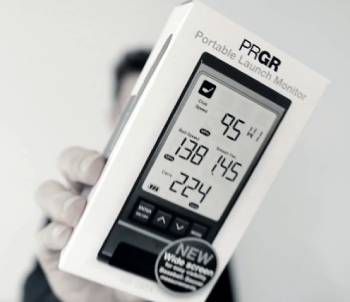
I remember the first day I took the PRGR HS-130A out to the practice range; it was a breezy Saturday afternoon, and I was surrounded by golfers using massive, expensive launch monitors that required tablets and complicated tripods.
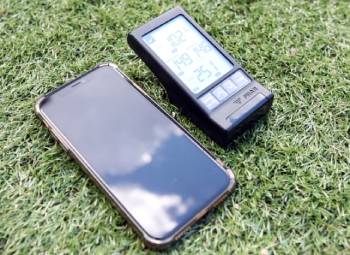
I am a person who hates dealing with Bluetooth pairing issues and app updates, so I was thrilled when I realized I could just stick the PRGR in the grass, turn it on, and start hitting.
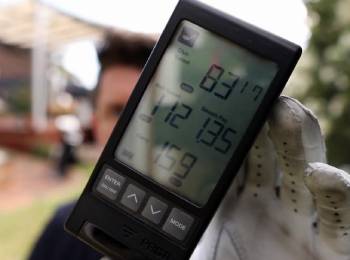
I started by placing it about three feet behind my ball as the instructions suggested, and I noticed right away how clear the LCD screen was, even in direct sunlight.
I found that the setup was remarkably fast because there was no need to sync it with my phone; it’s a standalone unit that respects your time.
I realized, however, that the true value of this little red box came during my speed training sessions.
I am someone who has been trying to increase my driver clubhead speed for months, and I found that the PRGR is one of the few monitors at this price point that accurately measures “air swings” or practice swings without a ball.
I noticed that I could see a 5 to 10 mph difference in my swing speed just by tweaking my setup variables, which gave me instant feedback on what was actually working.
I eventually moved on to testing my wedge distances, specifically quarter-turn pitches, and I found it to be surprisingly effective even at those lower speeds.
I have found that switching between clubs is a breeze once you understand the simple coding: “W” for woods, “U” for hybrids, and “I” for irons.
I noticed that the carry and total distance toggle was a lifesaver when I was trying to figure out which ball flight was rolling out too much on the firm range turf.
I finished my first few weeks with the PRGR feeling like I finally had a handle on my real-world numbers rather than the “ego distances” I had in my head.
I realized that because it fits easily into a side pocket of my golf bag, I actually end up using it every single session, unlike my previous bulky gear that often stayed in the trunk.
Maintenance Tips for Your PRGR Launch Monitor
- Use High-Quality Alkaline Batteries: You should realize that radar units require consistent power levels to maintain accuracy. Replacing the batteries as soon as the indicator drops to one bar is the best maintenance tip for data integrity, which I found prevents the unit from giving “ghost” readings or failing to pick up fast swings.
- Clean the Radar Lens with a Microfiber Cloth: You should notice that dust and grass stains from the range can obscure the radar sensor. Wiping the front face of the unit after every outdoor session is the best maintenance tip for signal clarity, which results in fewer missed shots and more consistent speed reports.
- Store the Unit in a Padded Case: You should realize that while the PRGR is sturdy, the internal radar components are sensitive to hard drops. Keeping it in a small hardshell case inside your golf bag is the best maintenance tip for longevity, which I found protects the screen from being scratched by your alignment sticks or clubs.
- Keep the Unit Dry During Rain: You should notice that the battery compartment and seams are not fully waterproof. Placing the unit under a towel or back in your bag if a drizzle starts is the best maintenance tip for electronics health, which provides protection against short-circuiting or internal corrosion.
- Verify Alignment with an Alignment Stick: You should realize that even a slight tilt in the unit can skew your speed data. Laying an alignment stick down to ensure the PRGR is pointing directly down the target line is the best maintenance tip for setup, which I found ensures the radar “sees” the full path of the club through the impact zone.
- Update Your Club Selection Regularly: You should notice that the distance algorithms change based on the club you have selected. Toggling to the correct iron or wood before you hit is the best maintenance tip for accuracy, which results in carry estimates that actually reflect your real-world performance with that specific loft.
Pros and Cons of the PRGR Launch Monitor
Pros of the PRGR Launch Monitor
- Extreme Portability and Ease of Use: It is small enough to fit in your palm and requires no smartphone connection: I found this is its greatest strength for golfers who want to practice without distractions: this results in a “turn on and play” experience that larger units can’t match: I noticed I used it more often because there was zero friction in the setup.
- Dual Measurement Capability: It tracks both clubhead speed and ball speed simultaneously: I found this provides an accurate smash factor reading to tell you how well you are striking the ball: this results in a better understanding of efficiency rather than just raw power: I noticed it helps identify when a fast swing doesn’t necessarily mean a long drive.
- Indoor and Outdoor Versatility: It uses Doppler radar technology that works in nets, on the range, or for dry swings: I found it is one of the best tools for winter speed training in a garage: this provides a year-round training solution for serious players: I noticed it picks up the clubhead perfectly even without a ball present.
- Massive Shot Memory Capacity: It stores up to 500 shots in its internal memory: I found this allows you to review a whole session’s worth of data once you get home: this results in the ability to track progress over time without needing a subscription-based cloud service: I noticed it is very easy to scroll through recent hits to find averages.
- High Value for the Investment: It offers the essential metrics found in units costing five times as much: I found that for the price of a new driver, you get a tool that actually improves how you hit every club in the bag: this provides a cost-effective way to enter the world of data-driven golf: I noticed the battery life is excellent, lasting through many long sessions.
Cons of the PRGR Launch Monitor: The analytical drawbacks:
- Lack of Lateral Data and Spin Rates: because it is a simplified Doppler radar unit: I found that it cannot tell you if you hit a slice or a hook: this results in a tool that is great for distance and speed but limited for shot-shaping analysis: I noticed that you still need to use your eyes to see the ball flight.
- Sensitivities to Unit Placement: because the radar needs a very specific angle to see both the club and the ball: I found that if you place it too far to the side or too close, the readings can become erratic: this provides a minor frustration during the first few uses while you find the “sweet spot”: I noticed it works best when leveled perfectly with the hitting surface.
- Simplified LCD Interface: because the screen is a basic digital display without high-resolution graphics: I found that some users might find it a bit “old school” compared to modern app-based monitors: this results in a functional but non-visual experience: I noticed it doesn’t provide the fancy shot tracer lines that some people enjoy.
- Inconsistencies with Very High Launch Angles: because the radar beam is relatively narrow: I found that extremely high-lofted wedges can sometimes “escape” the radar’s view before a distance is recorded: this provides a challenge for players working on flop shots: I noticed it is much more reliable for standard iron and wood trajectories.
- Distance Estimates are Algorithm-Based: because the unit does not measure the actual flight of the ball through the air: I found that the carry numbers are calculated based on ball speed and launch assumptions: this results in distance readings that are “estimates” rather than measured reality: I noticed that on very windy days, the unit won’t account for the headwind or tailwind.
Also Read: My Thoughts On Cleveland Launcher Max Irons
Comparison with Others
- PRGR Launch Monitor Vs. Flightscope Mevo
I found that the PRGR is much faster to set up than the Flightscope Mevo because it doesn’t require a phone app to function.
I noticed that while the Mevo offers more data points like launch angle and spin, I found the PRGR to be more reliable for quick speed training without a ball.
You should realize that the Mevo requires metallic stickers on the ball for the best indoor accuracy, which I found to be a bit of a chore.
I noticed that the PRGR screen is built right into the unit, whereas with the Mevo, you are constantly looking down at your phone on the ground.
I believe the PRGR is the better choice for the “minimalist” golfer, while the Mevo is for those who love digging into detailed charts.
- PRGR Launch Monitor Vs. Garmin Approach R10
I noticed that the Garmin R10 is a much more complex system that provides a full simulated driving range on your tablet.
I found that the R10 often struggles with “side spin” accuracy indoors, which I found wasn’t an issue for the PRGR because the PRGR doesn’t even attempt to guess spin.
You should realize that the Garmin costs significantly more and usually requires a tripod and a very specific amount of space behind the ball.
I found that for a quick 15-minute practice session, the PRGR is much more convenient.
I believe the Garmin is a better “simulator” entry point, but the PRGR is a superior “training aid” for pure speed and distance gapping.
- PRGR Launch Monitor Vs. Voice Caddie SC300i
I found that the Voice Caddie SC300i is much larger and includes a voice output that calls out your distances.
I noticed that the SC300i provides launch angle and apex height, which I found useful, but the unit is much harder to fit into a standard golf bag pocket.
You should realize that the PRGR is more discreet at the range, which I found preferable when I didn’t want everyone hearing my yardages.
I noticed that the PRGR is more consistent at picking up very high-speed swings without “glitching.”
I believe the Voice Caddie is a great “luxury” version of a portable monitor, but the PRGR wins on pure portability and stealth.
- PRGR Launch Monitor Vs. Rapsodo MLM2PRO
I noticed that the Rapsodo MLM2PRO uses a camera and radar hybrid system to give you actual video of your swing.
I found that the Rapsodo requires a subscription to unlock most of its best features, which I found to be a major downside compared to the “buy it once” PRGR.
You should realize that the Rapsodo requires a much more involved setup with your phone’s camera alignment.
I found that the PRGR is much better for a golfer who wants to practice in a low-tech environment. I believe the Rapsodo is for the tech-obsessed golfer, whereas the PRGR is for the performance-obsessed golfer.
- PRGR Launch Monitor Vs. Swing Caddie SC200 Plus
I found that the SC200 Plus is the most direct competitor to the PRGR and also offers a “swing speed only” mode.
I noticed that the PRGR tends to be slightly more consistent with ball speed readings on off-center hits. You should realize that the PRGR is smaller and has a simpler interface that I found easier to navigate with gloves on.
I noticed that the PRGR’s battery life seems to outlast the Swing Caddie in cold weather conditions.
I believe the PRGR is the more robust and reliable unit for those who prioritize accuracy over extra modes and features.
Also Read: My Thoughts On Swing Caddie SC300i Vs. Garmin R10 Golf Launch Monitor
Frequently Asked Questions (FAQs)
Yes, they are highly regarded for their simplicity, portability, and accuracy in measuring clubhead and ball speed, making them one of the most trusted tools for speed training.
For clubhead and ball speed, it is remarkably accurate and stays within a few mph of units costing thousands of dollars; however, its distance readings are estimates based on these speeds.
Yes, PRGR (Pro Gear) is a premium Japanese golf brand that is a subsidiary of the Yokohama Rubber Company, known for high-end engineering and design.
The PRGR is widely considered the best value-for-money launch monitor for golfers who want essential data (speed, distance, smash factor) without the high price of a camera-based system.
Final Thoughts
You should buy the PRGR launch monitor if you want to stop guessing your yardages and start training with the precision that the pros use.
I have found that the ability to track my swing speed without even hitting a ball has been the single biggest factor in my recent distance gains.
However, you should look elsewhere if you are building a full home simulator and need to see exactly where your ball is landing on a virtual screen.
I believe that for the average golfer, this is the most useful piece of technology you can put in your bag.
Go out there, get your numbers, and watch your handicap drop!