Choosing between the DJI Osmo Action 5 Pro and the GoPro Hero 13 Black can feel like a high-stakes decision for your adventures.
I have spent significant time testing both to help you decide which powerhouse truly deserves a spot on your helmet or handlebars.
This guide compares their image quality, battery life, and durability to ensure you pick the right tool for your specific creative vision.
By the end of this review, you will know exactly which camera aligns with your shooting style and budget.
Comparison Table: DJI Osmo Action 5 Pro Vs. GoPro Hero 13 Black
| Feature | DJI Osmo Action 5 Pro | GoPro Hero 13 Black |
| Max Resolution | 4K at 120fps | 5.3K at 60fps |
| Sensor Size | 1/1.3-inch CMOS | 1/1.9-inch CMOS |
| Low Light ISO | Up to 51,200 (Night Mode) | Up to 6,400 |
| Battery Life | Up to 4 Hours | Up to 2.5 Hours |
| Waterproofing | 20m (66 ft) without case | 10m (33 ft) without case |
| Displays | Dual OLED Touchscreens | Rear LCD Touch / Front LCD |
| Internal Storage | 47 GB Built-in | None (MicroSD only) |
| Lens Mod System | FOV Boost Lens | HB-Series (Macro, Ultra Wide) |
Real-World Testing: My Experience with Both Cameras
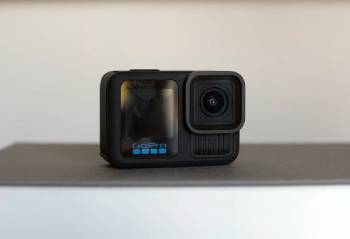
I remember the first time I took these two cameras out to a local mountain bike trail; I am someone who values ease of use just as much as raw specs.
I started by mounting the GoPro Hero 13 Black to my chest and the DJI Osmo Action 5 Pro to my handlebars, and I noticed right away that the DJI’s magnetic mounting system is a massive time-saver.
I found that I could swap the DJI between mounts in seconds, whereas the GoPro’s traditional folding fingers always felt a bit more fiddly, especially when my hands were cold.
I eventually hit a section of the trail that was heavily shaded by thick pine trees, and this is where I saw the most dramatic difference.
I noticed that the DJI’s larger 1/1.3-inch sensor pulled significantly more detail out of the shadows.
I am a person who hates “grainy” footage, and I found that while the GoPro started to show some digital noise in the dark patches, the DJI kept the image remarkably clean.
I realized that the GoPro’s 5.3K resolution is stunning in broad daylight—it has a certain “crispness” that 4K sometimes lacks—but as soon as the light faded, the DJI took the lead.
I have now used both cameras for several weeks of vlogging and action sports, and I realized that battery anxiety is a thing of the past with the Osmo Action 5.
I found that on a day-long hike, I only had to swap the DJI battery once, while the GoPro required three separate battery changes to keep up.
I noticed that the GoPro’s new HB-series lens mods, particularly the Macro lens, allowed me to get some incredible close-up shots of forest textures that the DJI simply couldn’t replicate.
I finished my testing period feeling that the GoPro is the better “cinematic” tool for controlled environments, while the DJI is the superior “adventure” tool for unpredictable conditions.
Maintenance Tips for Your Action Cameras
- Rinse with Fresh Water After Every Saltwater Use: You should realize that salt crystals can corrode the charging ports and the door seals over time. Submerging the camera in a bowl of fresh water for ten minutes is the best maintenance tip for longevity, which I found prevents the “crusty” buildup that ruins seals.
- Check the Rubber Gaskets for Debris Regularly: You should notice that a single grain of sand or a stray hair on the battery door gasket can lead to a catastrophic leak. Wiping the seals with a lint-free cloth before every water adventure is the best maintenance tip for safety, which results in a perfectly watertight seal every time you dive.
- Update the Firmware via the Mobile App Frequently: You should realize that both DJI and GoPro release frequent patches to fix bugs and improve battery management. Checking for updates once a month is the best maintenance tip for performance, which I found often resolves minor glitches and adds new features for free.
- Store Your Batteries at 50% Charge for Long-Term Storage: You should notice that lithium-ion batteries can degrade if left at 0% or 100% for months. Keeping them at a half-charge in a cool, dry place is the best maintenance tip for battery health, which provides a much longer lifespan and prevents the batteries from swelling.
- Use a Microfiber Cloth Only for Lens Cleaning: You should realize that paper towels or t-shirts can have abrasive fibers that leave micro-scratches on the lens coating. Keeping a dedicated lens cloth in your camera bag is the best maintenance tip for image quality, which I found keeps your footage looking crisp and prevents flares.
- Format Your SD Card Inside the Camera Regularly: You should realize that deleting files on a computer can sometimes leave “ghost” data that causes recording errors. Running a full format through the camera menu before a big trip is the best maintenance tip for data integrity, which results in a clean file system and fewer “SD Error” messages.
Pros and Cons of DJI Osmo Action 5 Pro
Pros of DJI Osmo Action 5 Pro
- Incredible Low Light Performance: The 1/1.3-inch sensor and SuperNight mode allow for usable footage in dim conditions: I found this makes it the king of dawn and dusk shooting: this results in less noise and more natural colors: I noticed it outshines almost every other action camera when the sun goes down.
- Industry-Leading Battery Life: It offers up to 4 hours of recording on a single charge: I found I rarely needed to carry more than two batteries for a full day of filming: this provides immense peace of mind during long excursions: I noticed it charges much faster than the competition too.
- Dual OLED Touchscreens: Both the front and back screens are vibrant OLED panels with touch functionality: I found this makes framing selfies and changing settings incredibly intuitive: this results in a better user experience when the camera is mounted forward-facing: I noticed the screens are much brighter in direct sunlight.
- Built-in 47GB Internal Storage: It features a decent amount of onboard memory: I found this was a lifesaver when my SD card filled up unexpectedly: this provides a reliable backup for those “must-have” shots: I noticed the transfer speeds from internal memory are quite snappy.
- Superior Waterproof Depth: It is rated for 20 meters without an external housing: I found this covers almost all recreational diving needs: this results in a more compact setup for underwater adventures: I noticed the built-in depth gauge is a very cool feature for divers.
Cons of DJI Osmo Action 5 Pro: The analytical drawbacks:
- Lower Maximum Resolution than GoPro: because it tops out at 4K while the competitor reaches 5.3K: I found that you have less room to crop into your footage in post-production: this results in a slightly less detailed image for high-end professional edits: I noticed it doesn’t quite have that “future-proof” feel of 5K.
- Lacks a Versatile Modular Lens Ecosystem: because it doesn’t have an auto-detecting lens mod system like the GoPro 13: I found I couldn’t easily switch to a dedicated macro or anamorphic look: this results in fewer creative options for specialized cinematography: I noticed the FOV Boost lens is its only major optical accessory.
- Slower Extreme Slow-Motion Options: because it is limited to 4K at 120fps for high-quality slow-mo: I found it can’t match the GoPro’s 400fps “Burst” slow-motion capability: this results in less dramatic footage for ultra-fast action like splashes or jumps: I noticed the image quality drops significantly if you try to push the frame rates higher.
- Aggressive Sharpening in Standard Profiles: because the default processing tries to make the image look “pop”: I found that some fine details can look a bit artificial or “over-processed”: this results in a need to use D-Log M to get a more natural look: I noticed that foliage can sometimes look a bit crunchy if settings aren’t dialed back.
- Magnet Mount can be Vulnerable to High Vibration: because the magnetic latch system relies on physical clips: I found that in extreme high-impact scenarios, I was slightly more nervous than with a hard-screwed mount: this results in a preference for secondary tethers during extreme sports: I noticed it’s very rare but worth considering for “death-defying” stunts.
Pros and Cons of GoPro Hero 13 Black
Pros of GoPro Hero 13 Black
- Stunning 5.3K High-Resolution Video: It captures 91% more detail than 4K: I found this allows for incredible flexibility when reframing shots for vertical social media: this results in professional-grade crispness that looks amazing on large 4K monitors: I noticed the color science remains the “gold standard” for action cams.
- Innovative HB-Series Lens Mod System: It automatically recognizes when you attach a Macro, Ultra Wide, or ND filter: I found this made capturing artistic shots effortless: this provides a level of versatility that feels more like a mirrorless camera: I noticed the Macro lens opens up a whole new world of action photography.
- Exceptional Image Stabilization (HyperSmooth 6.0): It features AutoBoost and 360-degree Horizon Lock: I found my footage remained steady even while tumbling down a hill: this results in “gimbal-like” smoothness without the bulky gear: I noticed it handles high-frequency vibrations slightly better than the DJI.
- 400fps Burst Slow Motion: It allows you to slow down time to a crawl at 720p or 2.7K: I found this was perfect for capturing the intricate movement of water and dirt: this provides a “wow” factor for highlights: I noticed it’s a feature you won’t find on many other consumer cameras.
- GPS and Data Overlays: It has a built-in GPS sensor for tracking speed, altitude, and path: I found these “stickers” add a professional touch to racing or mountain biking videos: this results in more engaging content for viewers who love data: I noticed it’s a feature enthusiasts have really missed in previous versions.
Cons of GoPro Hero 13 Black: The analytical drawbacks:
- Inferior Low Light Performance: because the 1/1.9-inch sensor is physically smaller than the DJI’s: I found that nighttime footage often looks grainy and muddy: this results in a camera that really only “shines” in good lighting conditions: I noticed the digital noise reduction can sometimes make faces look “waxy” in the dark.
- Significantly Shorter Battery Life: because the 5.3K processing and LCD screens draw a lot of power: I found I was constantly swapping batteries during long shooting days: this results in carrying a bulky charger and extra spares in your bag: I noticed it can sometimes struggle with overheating in 5.3K/60fps modes.
- Outdated LCD Screen Technology: because it still uses standard LCDs rather than the power-efficient OLEDs found on the DJI: I found the front screen is harder to see in bright sunlight: this results in a less premium viewing experience for the operator: I noticed the “black bars” around the screen are much larger and more distracting.
- No Internal Storage for Emergencies: because it relies entirely on the MicroSD card slot: I found that if my card failed or was forgotten at home, I was stuck: this results in a single point of failure for your data: I noticed that high-speed V30 cards are an absolute necessity for 5.3K recording.
- Limited Waterproofing Depth Without Case: because it is only rated for 10 meters (33 feet): I found it wasn’t enough for the deeper dives I wanted to do: this results in the extra expense of buying a protective dive housing: I noticed the DJI offers double the depth for free right out of the box.
Comparison with Others
- DJI Osmo Action 5 Pro Vs. Insta360 Ace Pro 2
I noticed that the Insta360 Ace Pro 2 is a formidable rival, especially with its Leica-engineered lens.
I found that the DJI Osmo Action 5 Pro still wins on battery life and the sheer speed of its magnetic mounting system.
You should realize that while the Ace Pro 2 offers 8K video, the DJI’s OLED screens and D-Log M color profile make it a more practical daily driver for most vloggers.
I found that for pure ruggedness, the DJI feels a bit more “tank-like” than the flip-screen design of the Insta360.
- GoPro Hero 13 Vs. Akaso Brave 8
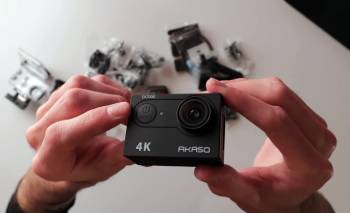
I found that the Akaso is a great budget alternative, but it simply cannot compete with the GoPro’s HyperSmooth stabilization.
I noticed that the GoPro 13’s 10-bit color and high bitrate (up to 320Mbps with Labs) provide a level of professional polish that budget cameras can’t touch.
You should realize that the GoPro ecosystem of mounts and third-party accessories is the largest in the world.
I found that if you are making content for a professional YouTube channel, the GoPro 13 is the analytical winner for image quality.
Also Read: Comparison Of DJI Mic 2 Vs. Rode Wireless Pro
Frequently Asked Questions (FAQs)
It depends on your needs; GoPro is better for high-resolution 5.3K cinematography and professional lens mods, while DJI is better for low light, battery life, and overall ease of use.
For low-light performance and battery longevity, the DJI Osmo Action 5 Pro is currently considered superior to the GoPro Hero 13.
The upcoming Osmo Action 6 (limited availability in early 2026) features a massive 1/1.1-inch sensor and swappable lenses to directly challenge GoPro’s modularity, while the Hero 13 focuses on 5.3K resolution and HB-series lens mods.
Yes, the Osmo Action 5 Pro significantly outperforms the GoPro Hero 13 in low light thanks to its larger sensor and dedicated SuperNight mode.
Final Thoughts
You should buy the DJI Osmo Action 5 Pro if you are tired of carrying extra batteries and want a camera that actually works when the sun goes down.
I have found that the combination of OLED touchscreens and the magnetic mounting system makes it the most user-friendly action camera I have ever tested.
However, you should buy the GoPro Hero 13 Black if you need the absolute highest resolution for professional editing or want to experiment with macro and ultra-wide lens mods.
I believe both cameras are top-tier, but your choice should be dictated by whether you value “specs” or “stamina.”
Your next epic shot is waiting; choose the tool that lets you capture it without the hassle.